
Dovient Lite
A simple CMMS for small maintenance teams
Dovient Lite keeps work orders, preventive maintenance and inspections in one place. Techs work from a phone app, and every job is saved on the asset it was done on.
- Phone app for techs
- QR labels for your assets
- Import assets from Excel or CSV
Maintenance software for teams of a few people
Dovient Lite is a computerized maintenance management system (CMMS) for small teams in the US. It replaces the whiteboard, the paper logs and the spreadsheet of due dates with one list of your equipment and the work done on it.
It is made for the owner, manager or lead tech who looks after the equipment at one or a few sites: trucks, forklifts, kitchen equipment, HVAC units, pumps, car lifts or rides. There is no IT project. You add your assets, set the checks that are due, and invite your team.
Every work order, inspection and part used is saved on the asset with who did it and when, so the history is there when an inspector, an owner or a new tech asks for it.
What is a CMMS?What Dovient Lite does
The jobs a small maintenance team runs every week, from the first repair request to the record an inspector asks for.
Work orders
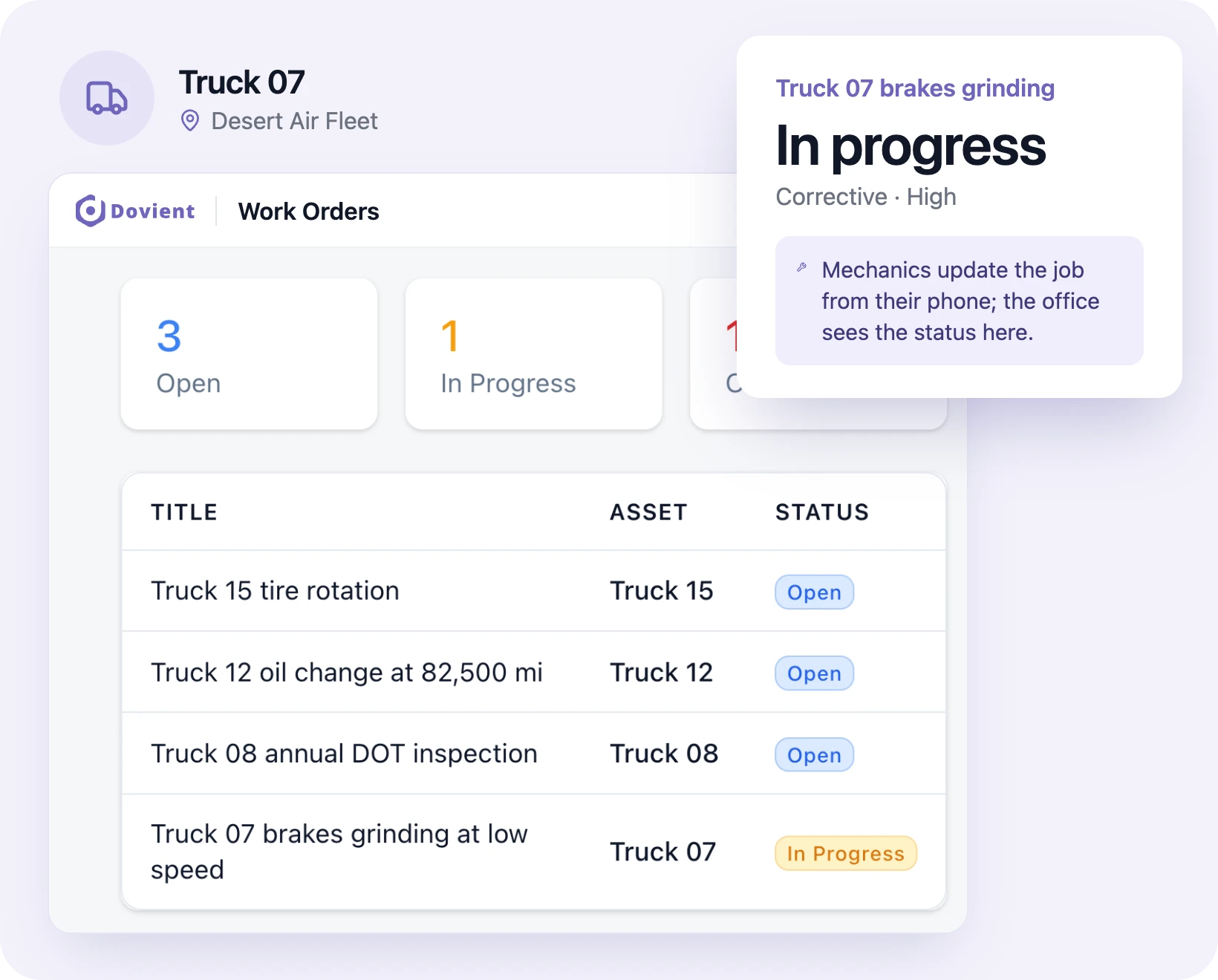
Create a job, assign it, set the priority and attach photos or files. Techs update the status from their phone, and the office sees it right away.
Work order softwarePreventive maintenance schedules
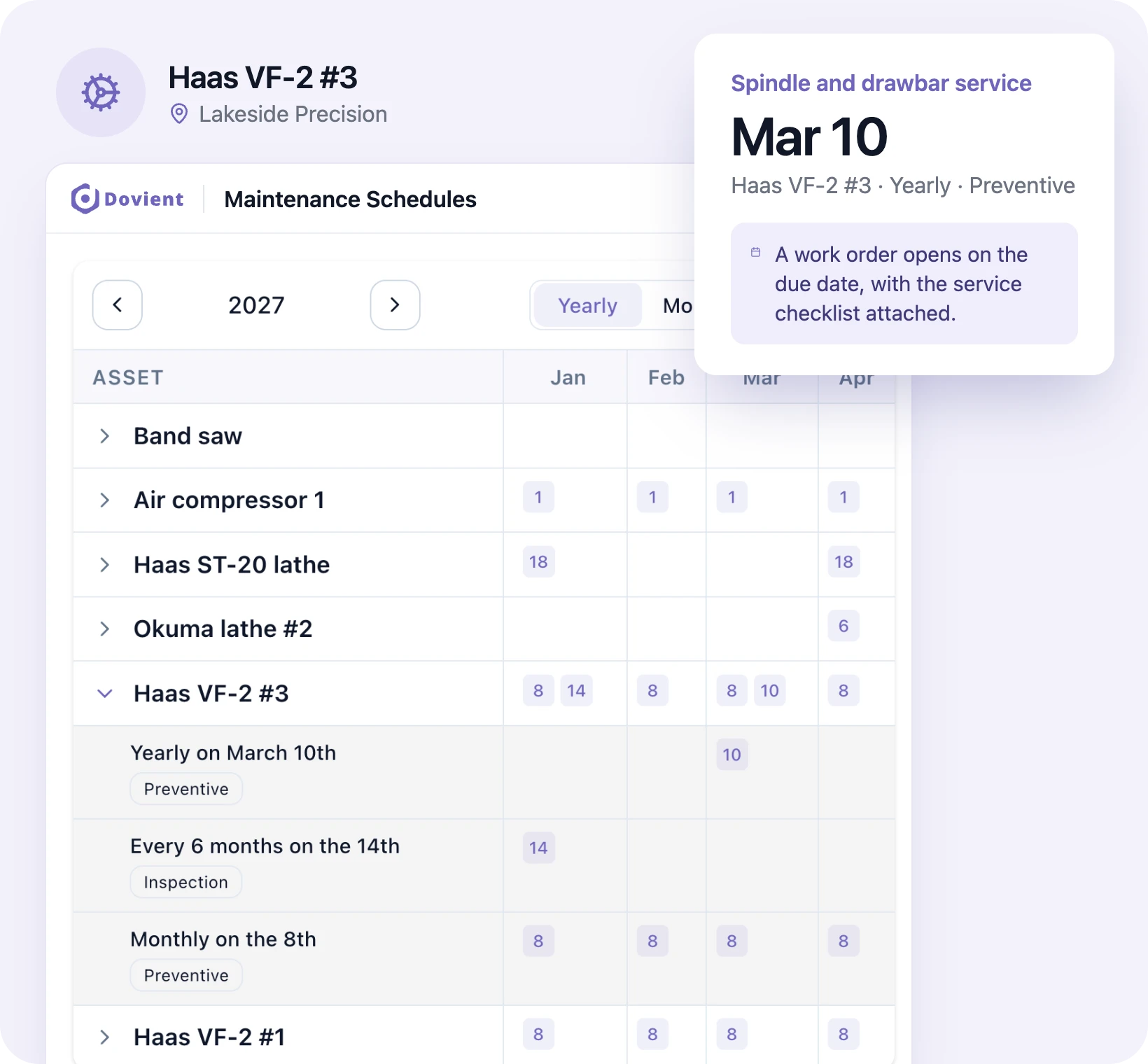
Schedule service by date or by meter reading in hours or miles. A work order opens when the service is due, with its checklist attached.
Preventive maintenance software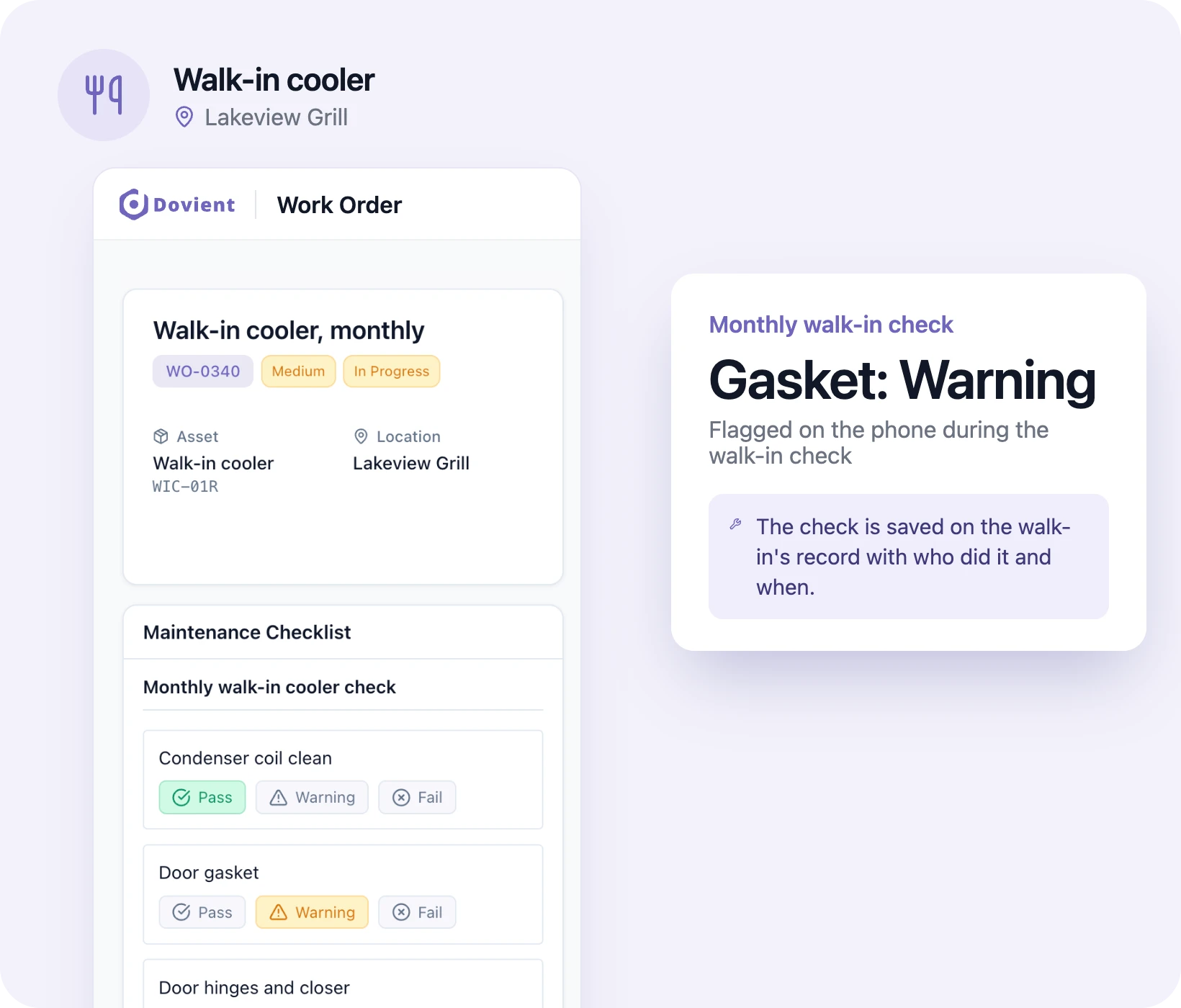
Inspection checklists on the phone
Techs mark each item pass, warning or fail on the phone. The finished checklist stays on the asset with who did it and when.
Inspection checklist appAssets and QR labels
Each asset has its location, status and full history of work orders, parts and cost. Print a QR label for each one.
Asset tracking with QR codesService requests
Staff report a problem from their phone with a photo and can mark it a breakdown. The people assigned are notified, and the request becomes a work order.
Parts inventory
Track stock per store with a minimum quantity, and see which parts are low. Parts used on a job come off stock and add to the asset's cost.
Dashboard
See open and overdue work orders, downtime, mean time to repair (MTTR) and mean time between failures (MTBF).
Building and facility work
Run the same work orders and schedules for roofs, HVAC, plumbing, fire equipment and common areas.
Facility maintenance softwareHow setup works
- 1
Add your assets
Import a spreadsheet or add them one at a time. Print QR labels if you want them.
- 2
Set checks and schedules
Choose what is due and how often, by date or by meter, and attach a checklist.
- 3
Invite your team
Techs get their work orders on the phone app. Staff can report problems with a photo.
Set up for your industry
Each industry page shows the checks, schedules and records that type of site keeps, with templates and guides for its US rules.
29 industries
Retail service sites
Healthcare & clinics
Residential care
Childcare & schools
Lodging & recreation
Agriculture
Housing & property
Plants & facilities
Vehicles & equipment
Marine
Food service
Public & community
Popular templates
Printable checklists and logs. Each one can also run on the phone in Dovient Lite.
- Work order template (printable + digital)Template
- Preventive maintenance checklist & PM schedule templateTemplate
- Building maintenance checklistTemplate
- Fire extinguisher & fire equipment monthly inspection checklistTemplate
- Equipment maintenance log templateTemplate
- OSHA forklift daily (pre-shift) inspection checklistTemplate
- Pre-trip vehicle inspection checklistTemplate
- Restaurant health inspection checklistTemplate · Compliance
Questions
- What is Dovient Lite?
- Dovient Lite is a CMMS, or computerized maintenance management system, for small maintenance teams. It tracks your assets, work orders, preventive maintenance schedules, inspections and parts in one place, with a phone app for techs.
- Who is Dovient Lite for?
- Owners, managers and lead techs at small sites in the US, such as gas stations, clinics, fleets, restaurants, motels, warehouses and churches. It suits teams that track maintenance on paper or in a spreadsheet today.
- Do my techs need a computer?
- No. Techs open their work orders, complete checklists, add photos and update the status from the phone app. Managers usually plan the work on a computer.
- Can I bring in my equipment list?
- Yes. Import assets from a CSV or Excel file, or add them one at a time. Each asset gets a location, a status and a QR label you can print.
- Can it schedule maintenance by hours or miles?
- Yes. Schedules run by date, such as monthly or yearly, or by meter reading in hours or miles. A work order opens when the service is due.
- Can I show maintenance records to an inspector?
- Every completed checklist and work order stays on the asset with who did it and when. Completed work orders can be exported as PDF.