
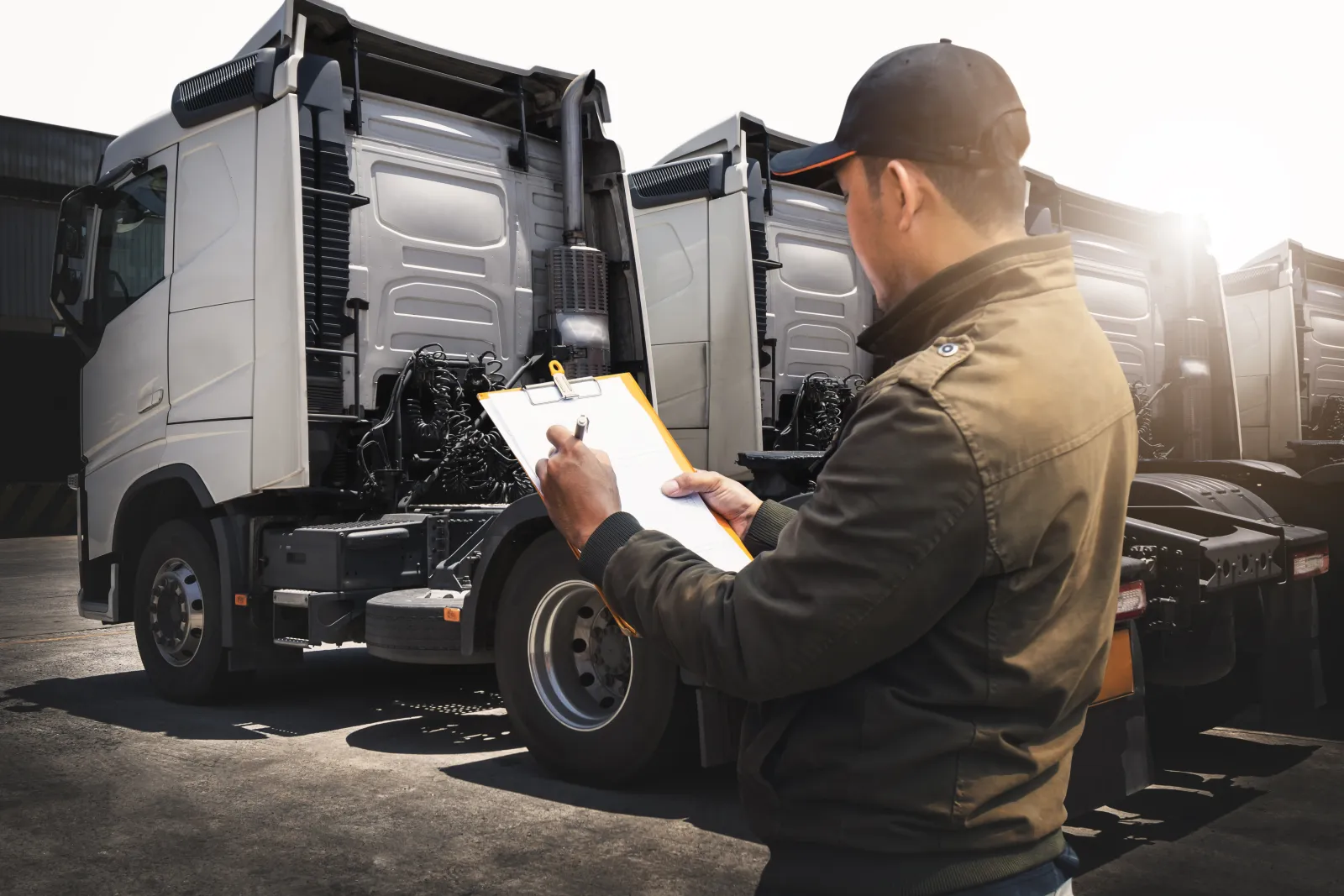
Driver inspection reports (DVIRs) on the phone
Each truck gets a pre-trip and post-trip checklist with the FMCSA items: service brakes, parking brake, steering, lights and reflectors, tires, horn, wipers, mirrors, coupling devices, wheels and rims, and emergency equipment. The driver opens it on the phone, marks each item pass, warning or fail, and adds a photo of anything wrong. The report is saved on that truck's record with who did it and when.
DVIR template and FMCSA requirements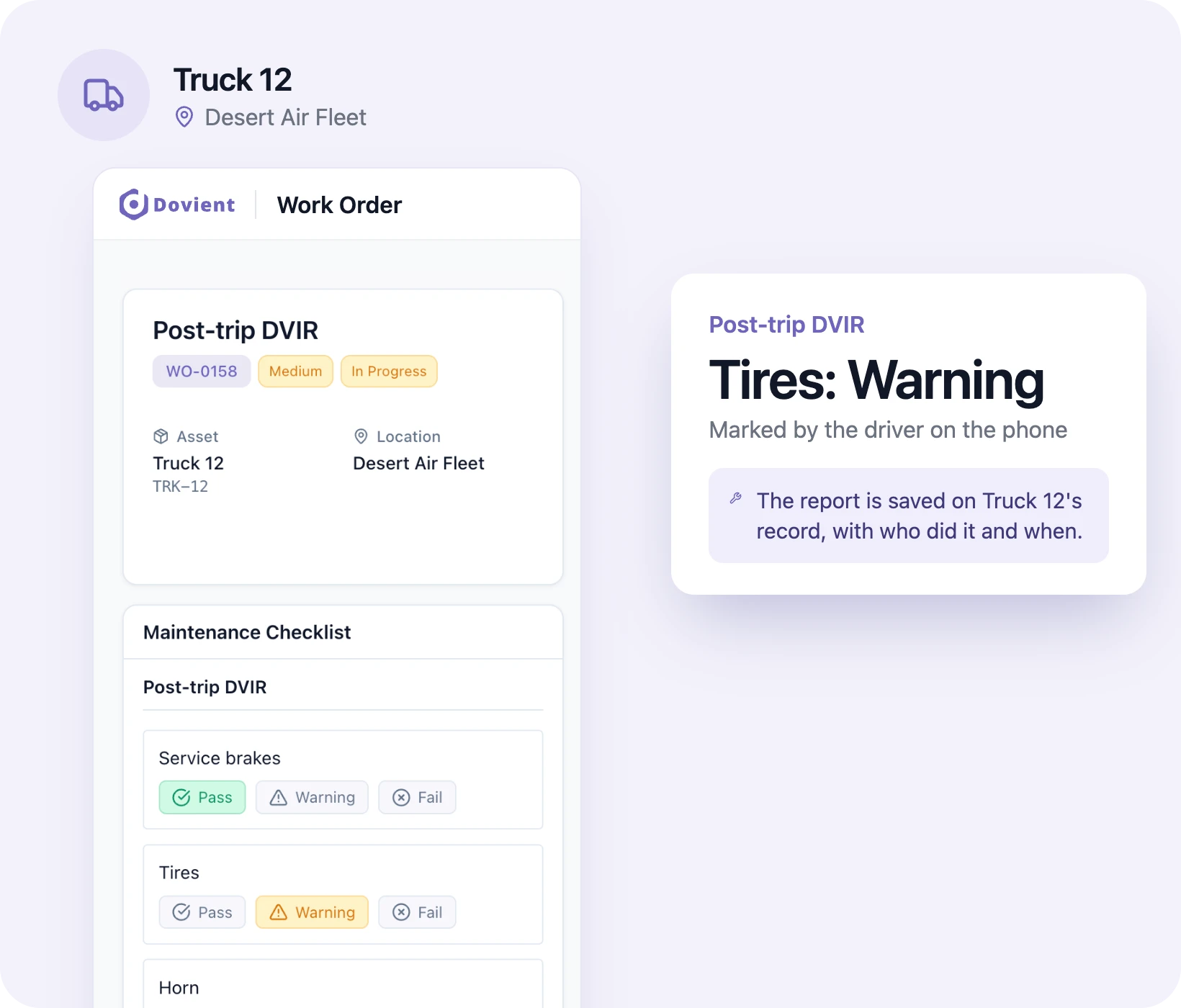
Oil changes and services by mileage
Add an odometer to each vehicle and set intervals in miles: an oil change every 7,500, a tire rotation every 5,000. When a driver or the shop enters a new reading, Dovient Lite opens a work order for every service that is due. Date-based items, like a 90-day brake inspection, run on the same schedule, and a service can follow whichever comes first.
Fleet preventive maintenance schedule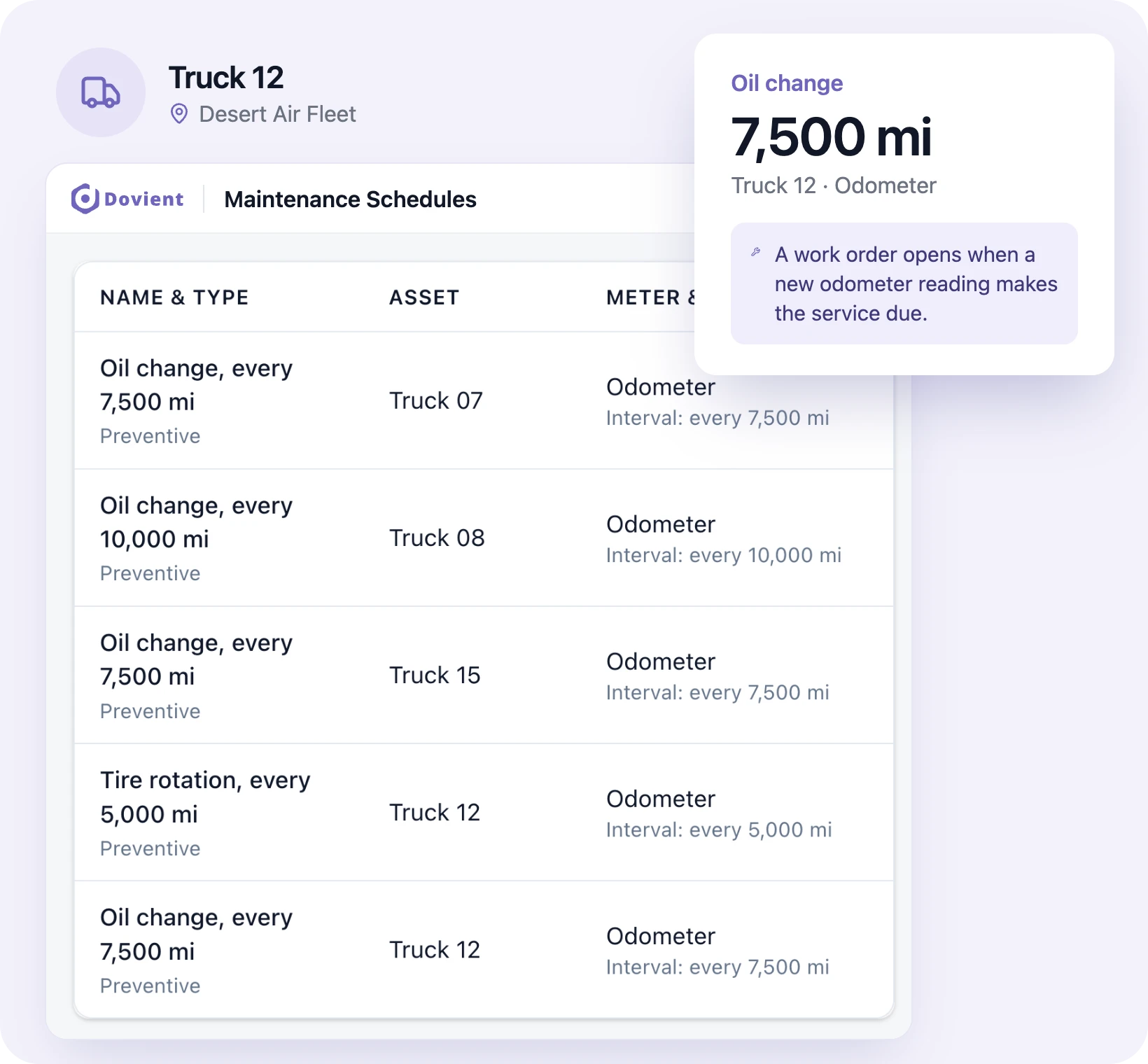
Every repair in one list, every truck's status
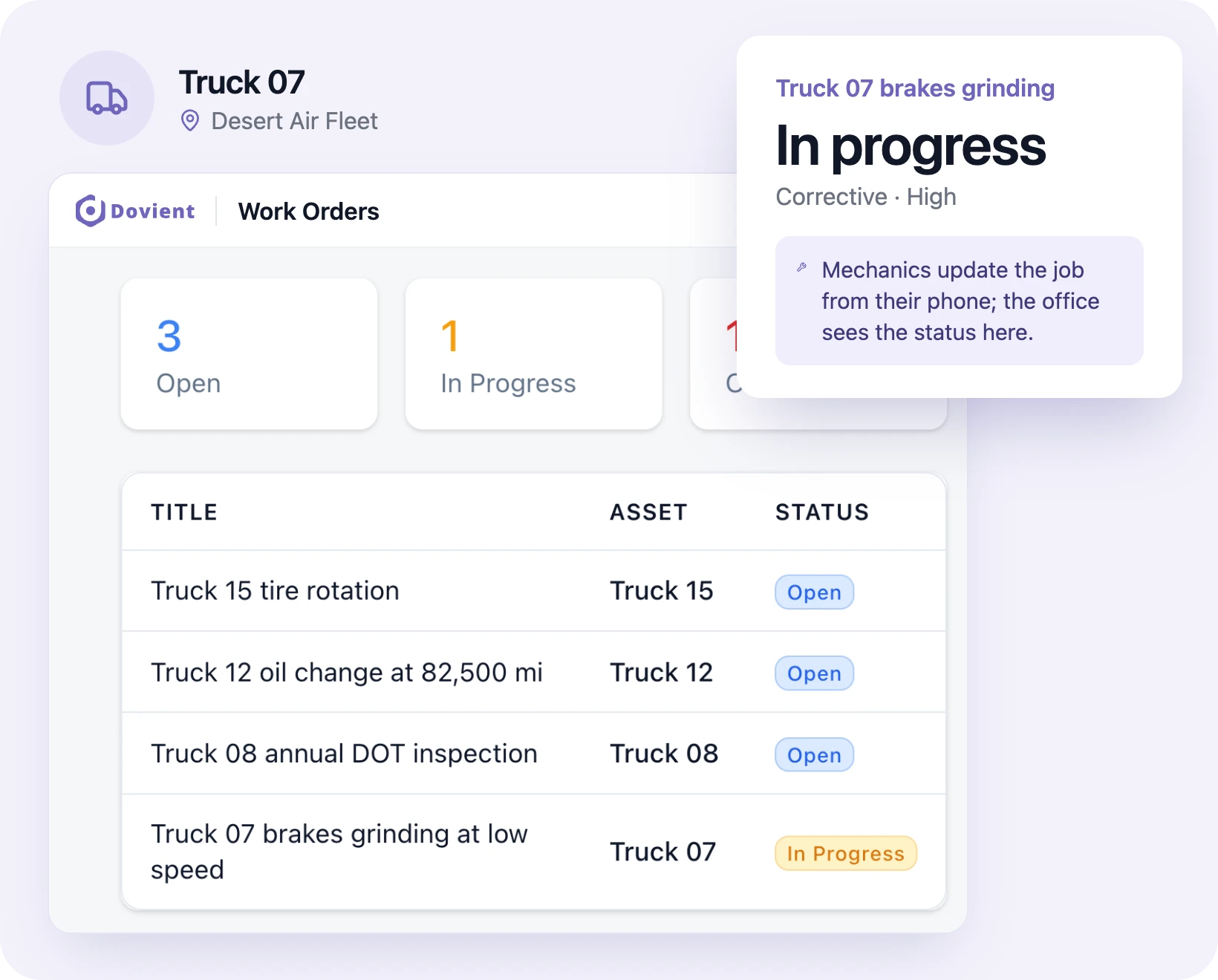
Each repair is a work order: who reported it, who is on it, the photos, the notes and the status. The shop lead assigns jobs from the office, mechanics update them from a phone, and overdue work shows on the dashboard. A truck in the shop is marked down, so whoever plans the day knows which vehicles can go out.
Annual DOT inspections and each vehicle's history
Set each vehicle's annual inspection as a yearly schedule with the inspection checklist attached. The work order opens when it's due, and the completed report stays on the vehicle's record next to every repair, part and dollar spent on it.
Annual DOT inspection checklist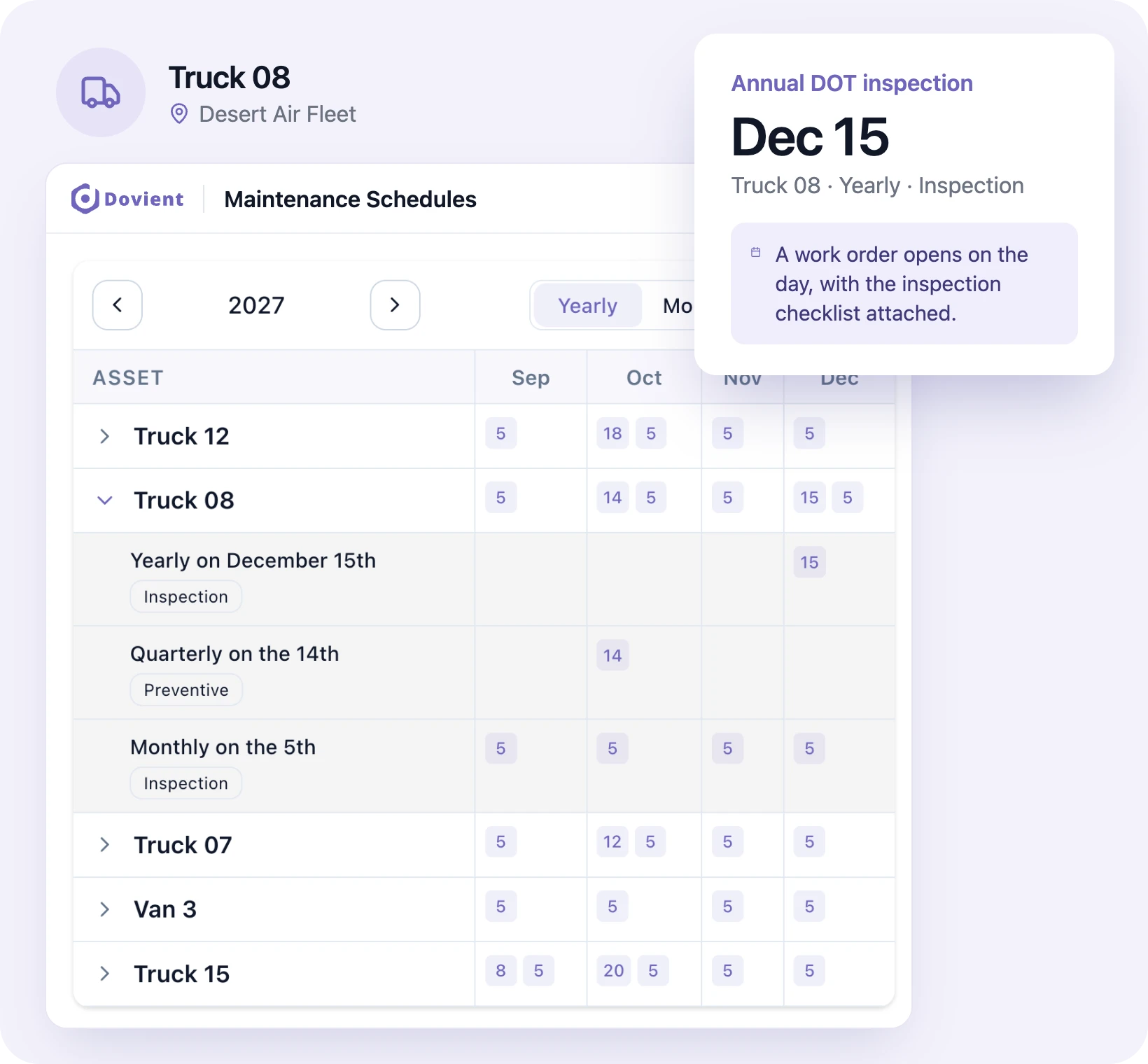
Drivers report problems from the road
A driver hears the brakes grinding or sees a warning light. They pick the truck in the app, describe the problem, add a photo and mark it a breakdown if the truck can't run. The shop is notified straight away, turns the report into a repair work order, and the driver can see when it's fixed.
QR codes on your vehicles (optional)
Print a QR label for each vehicle from Dovient Lite and stick it in the cab or on the door jamb. A driver or mechanic scans it with the app and lands on that truck's record: the checks due today, open repairs and its history. Useful once you have more trucks than people can pick from a list.
Parts on the shelf, cost on the truck
Keep oil filters, brake pads, wiper blades and tires in the parts list with a minimum quantity for each. Parts used on a repair come off stock and add to that vehicle's cost, and anything below its minimum is marked low stock, so you reorder before a truck waits on a filter.
Which trucks break down most
The dashboard counts breakdowns and hours of downtime, shows the average time to repair (MTTR) and time between failures (MTBF), and lists the vehicles that fail most often. Put that next to what each one costs, and you know which trucks to fix properly and which to replace.
How setup works
- 1
Add your vehicles
Import your vehicle list from a spreadsheet (CSV or Excel) or add vehicles one at a time.
- 2
Set inspections and intervals
Choose the checklists each vehicle needs (pre-trip, post-trip, annual DOT) and the service intervals in miles or days.
- 3
Invite your drivers and mechanics
They install the app and sign in. Each driver sees the day's checks; mechanics see the repairs assigned to them.
Set up Dovient Lite with us
Tell us how many vehicles you run. We'll go through your inspections and service intervals with you and set up your account.
Prefer to start on your own? Start with Dovient Lite
Fleet checklists and guides
All templates
Questions
What is fleet maintenance software?
Software that keeps every vehicle's inspections, scheduled services and repairs in one record. Dovient Lite does this for small fleets: driver inspection reports on a phone, services scheduled by mileage or date, and a full maintenance history for each vehicle.
Is there an electronic DVIR app for drivers?
Yes, the Dovient Lite phone app. A driver opens the truck's checklist in the app (or scans the QR code in the cab, if you use them), marks each item pass, warning or fail, and attaches photos. Under 49 CFR 396.11, a driver must file a written report when a defect is found, and the carrier keeps reports for three months.
Can I schedule maintenance by mileage?
Yes. Each vehicle can have an odometer, and services can be set every so many miles, every so many days, or whichever comes first. A new odometer reading opens a work order for anything that is due.
How does fleet maintenance software reduce downtime?
Services happen by mileage before parts wear out, defects from inspection reports are fixed before the next trip, and drivers' problem reports reach the shop the same day. The dashboard then shows which vehicles break down most, so repeat problems get a proper fix.
Does it remind me when a service is due?
Dovient Lite opens the work order itself when a service comes due by date or by mileage, and assigns it to the people set on that schedule. Anything not done on time shows as overdue on the dashboard.
Can I track parts and repair costs per vehicle?
Yes. Parts used on a repair come off stock, and their cost is added to that vehicle, along with any outside shop charges you enter. Each vehicle's record shows what it has cost this year.
Do drivers need training to use it?
Not much. A driver opens the app, picks the day's check for their truck, and taps pass, warning or fail on each item. Photos come from the phone camera.
Does Dovient Lite track vehicles with GPS?
No. Dovient Lite covers inspections, maintenance and repairs. Odometer readings are entered by the driver or the shop. If you need live location tracking, use a telematics provider alongside it.
How long do I need to keep DOT inspection records?
Keep the annual inspection report for 14 months from the inspection date (49 CFR 396.21) and driver inspection reports for three months (49 CFR 396.11). Dovient Lite keeps both on the vehicle's record.
Is Dovient Lite fleet management software?
It covers the maintenance part of fleet management: inspections, scheduled service, repairs, parts and cost per vehicle. It is fleet maintenance management software, not a telematics platform, so there is no GPS, fuel card or dispatch. Many fleet managers use the app as their vehicle maintenance tracker alongside a GPS provider.
What do DOT and OSHA expect for fleet compliance?
Federal truck regulations (FMCSA, 49 CFR 396) cover commercial vehicles: driver inspection reports, annual inspections and maintenance records for each truck. OSHA covers the people; there is no specific OSHA fleet safety rule, but OSHA expects driving hazards to be managed and many insurers ask for a written fleet safety program. Dovient Lite keeps the inspection and repair records your truck compliance depends on.
How much does Dovient Lite cost?
Plans and prices are on the Dovient Lite pricing page: dovient.com/lite/pricing.
Reviewed
Know what every vehicle needs before it breaks down