
EPA 30-day UST walkthrough inspections on a phone
Each tank system gets the walkthrough checklist from 40 CFR 280.36: spill buckets undamaged and clear of liquid and debris, fill caps tight, the interstitial space of double-walled buckets dry, and the tank gauge console on with no alarms. The store manager or your Class B operator marks each item pass, warning or fail on the phone and adds a photo of anything wrong. The completed walkthrough is saved on the tank's record with who did it and when.
EPA UST monthly walkthrough inspection checklist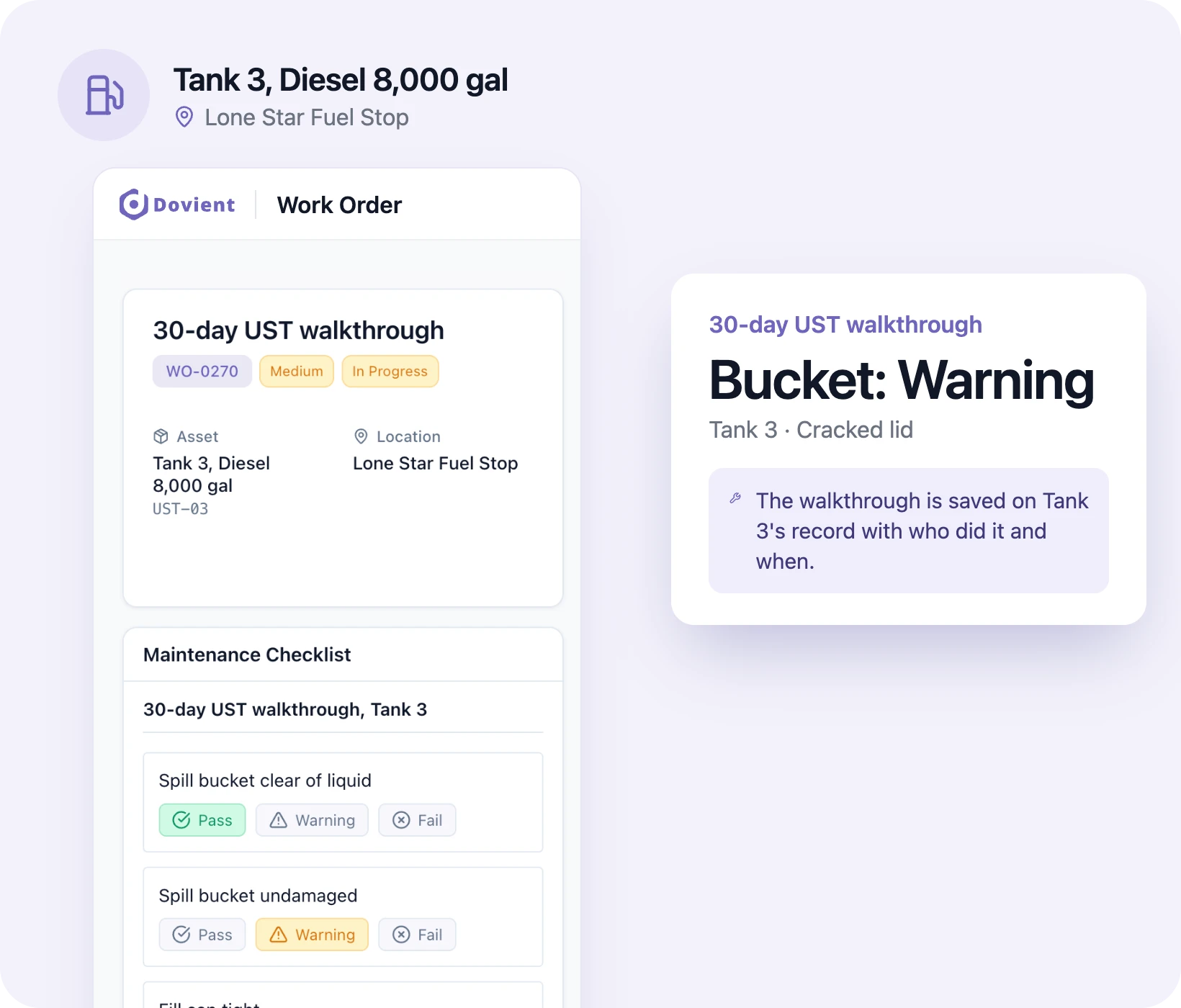
Annual and three-year UST tests on a schedule
Set each test at its federal interval: release detection equipment (tank gauge, sensors, line leak detectors) checked for operation every year, containment sumps and handheld detection equipment inspected yearly, and spill bucket tests, overfill equipment inspections and cathodic protection tests every three years. The work order opens when the test is due and goes to the person you set, and the contractor's report is attached when the job is done. Many states set their own intervals, so enter the ones your state program uses.
UST compliance: EPA 40 CFR 280 testing and operator requirements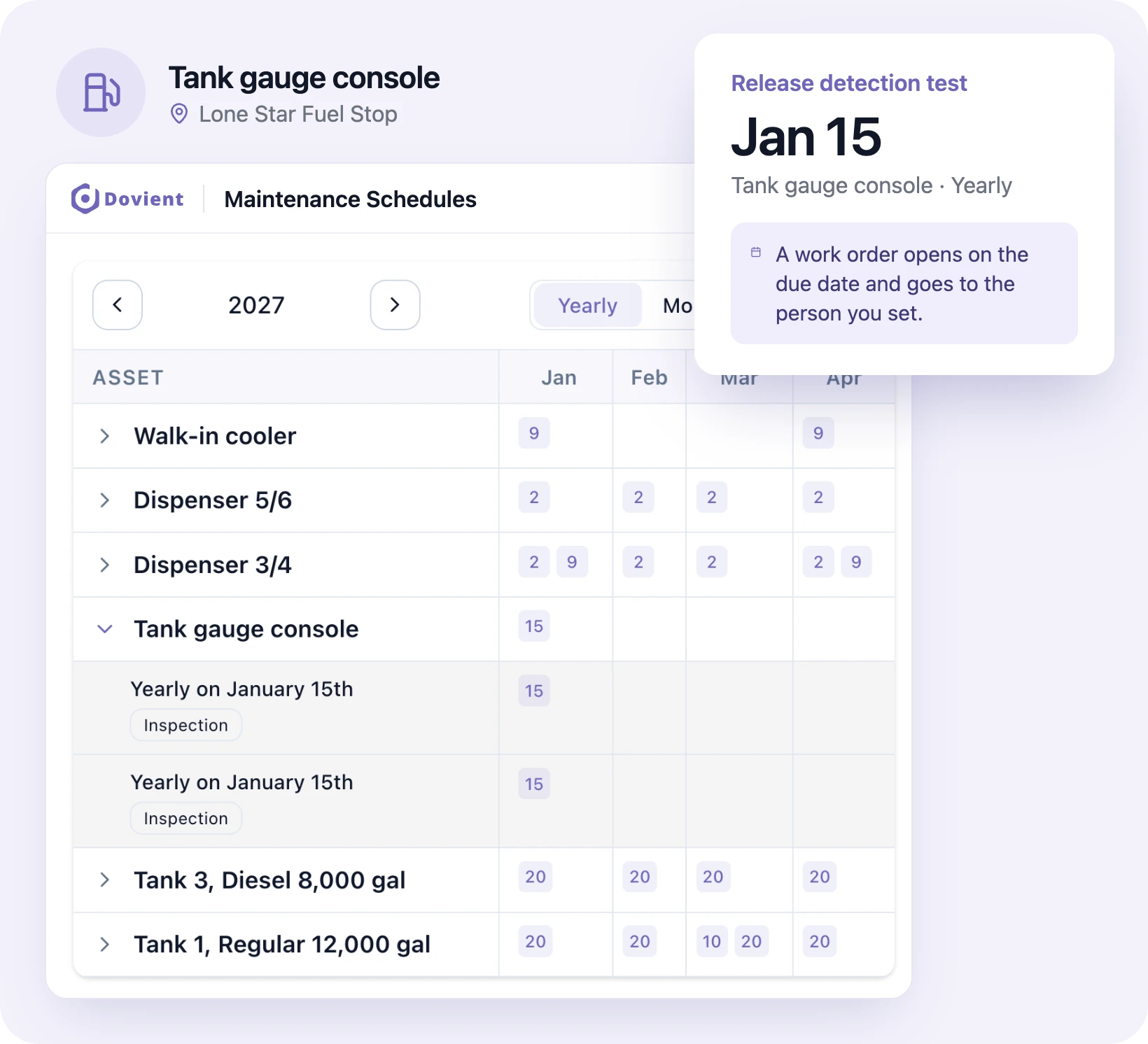
Clerks report problems from the register
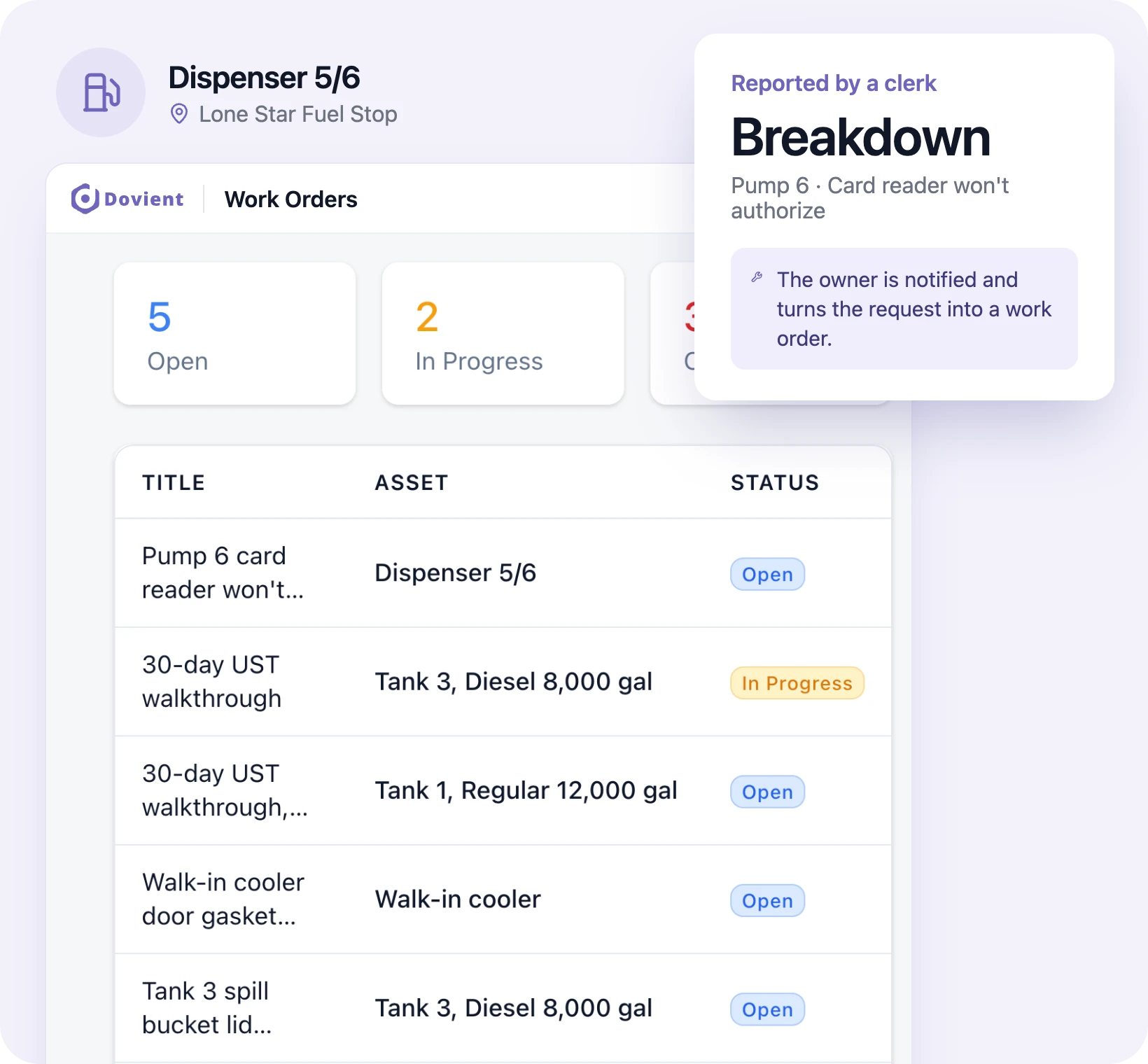
A pump won't authorize, a nozzle is leaking, or the walk-in cooler is running warm. The clerk picks the dispenser or cooler in the app, describes the problem, adds a photo and marks it a breakdown if it's out of use. The people assigned to requests are notified, the owner turns it into a work order, and the clerk can see when it's fixed.
Filters, nozzles and spill kits in stock
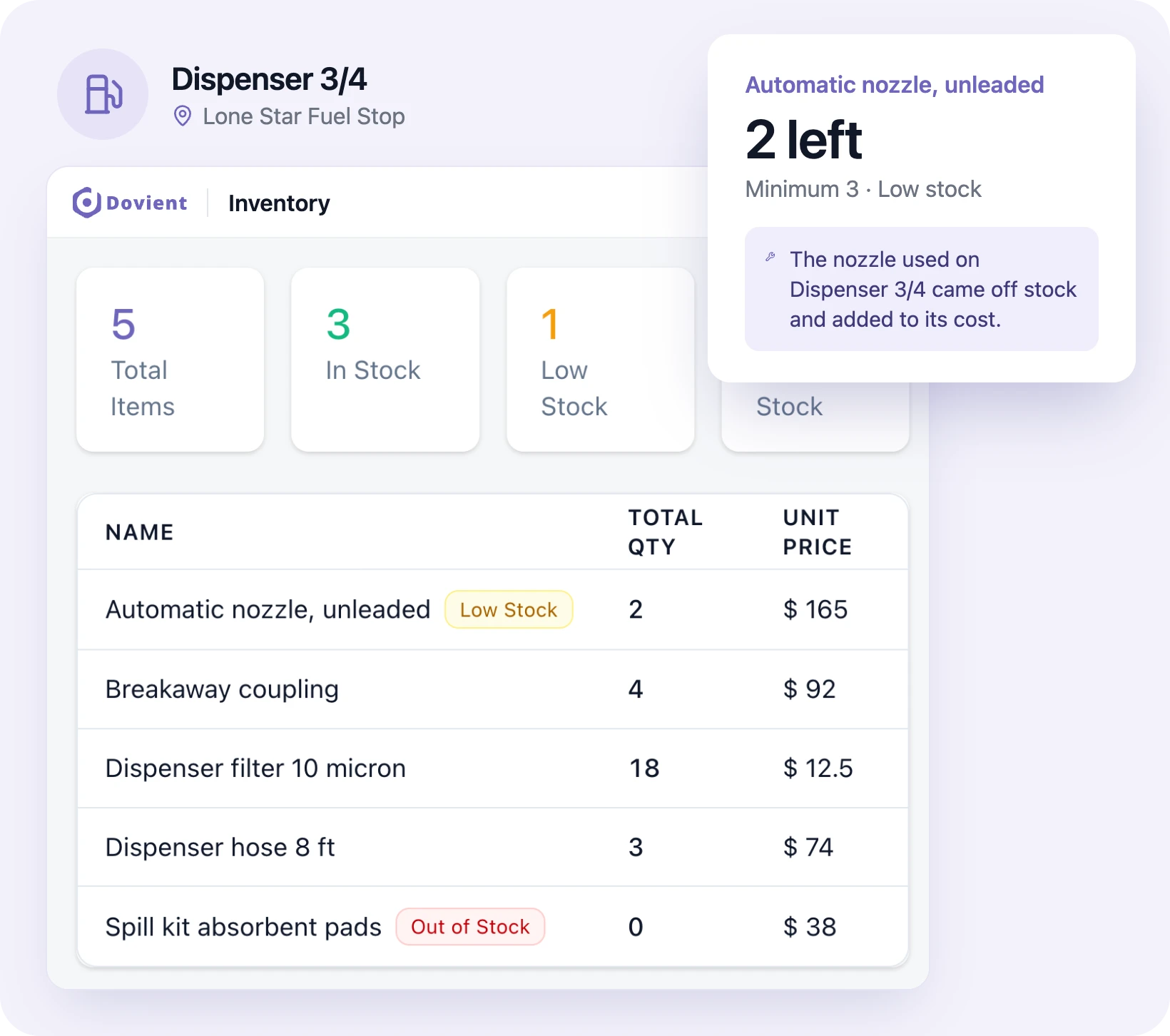
Keep dispenser filters, nozzles, hoses, breakaways and spill kit absorbents in the parts list with a minimum quantity. Parts used on a repair come off stock and add to that dispenser's cost, and anything below its minimum is marked low stock, so a pump isn't bagged for days waiting on a nozzle.
Daily store checks and repairs in one list
A daily schedule opens the morning check for the forecourt and store: emergency shutoff switch clear and labeled, extinguishers in place, spill kit stocked, hoses and nozzles not cracked, restrooms, coolers and the ice machine working. Anything that needs fixing becomes a work order with photos, who is on it and its status, and repairs not done on time show as overdue on the dashboard.
Gas station and c-store daily maintenance checklistDispenser filters, hoses and breakaways by pump
Each dispenser is an asset with its own schedule: filters changed on your service company's interval or when flow slows, hoses, nozzles and breakaway couplings inspected monthly, and the date of the last weights and measures test noted on the record. Every repair, part and service charge adds to that dispenser's cost, so you can see which pumps cost the most to keep running.
Fuel dispenser and pump maintenance and calibrationRecords ready for the state tank inspector
When the state UST inspector or your insurer asks, export completed walkthroughs, test work orders and contractor reports as a PDF. If your site also needs an SPCC plan (more than 1,320 gallons of aboveground oil storage), the inspections the plan calls for can be checklists too, kept in the same place.
Gas station and c-store regulations and complianceWhich pumps and coolers break down most
The dashboard counts breakdowns and hours of downtime, shows the average time to repair (MTTR) and time between failures (MTBF), and lists the equipment that fails most often. A dispenser that goes down twice a month or an ice machine that keeps failing shows up there, next to what it has cost you.
How setup works
- 1
Add your tanks and equipment
Import your list from a spreadsheet (CSV or Excel) or add tanks, dispensers, coolers and other equipment one at a time.
- 2
Set walkthroughs and test dates
Choose the checklists each store needs (30-day walkthrough, daily store check) and the dates of annual and three-year tests.
- 3
Invite your managers and clerks
They install the app and sign in. Clerks see the day's checks; whoever handles repairs sees the work assigned to them.
Set up Dovient Lite with us
Tell us how many stores you run. We'll go through your tank inspections and equipment with you and set up your account.
Prefer to start on your own? Start with Dovient Lite
Gas station checklists and guides
All templates- Template · Compliance
Gas stations
SPCC plan & SPCC inspection checklist for gas stations
- How-to
Gas stations
Fuel dispenser & pump maintenance and calibration
- Compliance
Gas stations
UST compliance: EPA 40 CFR 280 testing & operator requirements
- Template
Gas stations
EPA UST monthly walkthrough inspection checklist
- Template
Gas stations
Gas station & c-store daily maintenance checklist
- Compliance
Gas stations
Gas station & c-store regulations and compliance
Questions
What is gas station maintenance software?
Software that keeps a station's tank inspections, equipment service and repairs in one record. Dovient Lite does this for small teams: the 30-day UST walkthrough on a phone, tank tests and dispenser service on a schedule, and a full history for each tank and pump.
What does the 30-day UST walkthrough inspection cover?
Under 40 CFR 280.36, every 30 days you check spill prevention equipment (look for damage, remove liquid or debris, check the fill cap, and check the interstitial area of double-walled spill buckets) and release detection equipment (it is on with no alarms, and records are reviewed and current). Containment sumps and handheld release detection equipment are checked once a year. States with approved UST programs may require more.
How long do I keep UST inspection and test records?
Federal rules call for keeping walkthrough records for one year (40 CFR 280.36) and records of spill bucket and sump tests and overfill inspections for three years (40 CFR 280.35). Your state may ask for longer. Dovient Lite keeps every completed walkthrough and test on the tank's record.
Does my gas station need an SPCC plan?
Only if the site has more than 1,320 gallons of aboveground oil storage capacity (counting containers of 55 gallons or more) and could reasonably discharge oil to navigable waters (40 CFR 112). Tanks regulated under the UST rules in 40 CFR 280 don't count toward that total, so a station with all its fuel in USTs often doesn't need one. Check with your state or a professional engineer.
Does Dovient Lite connect to my automatic tank gauge?
No. Dovient Lite doesn't read the tank gauge or receive its alarms. During the walkthrough the person checking marks the console item and adds a photo of the screen or the printed report.
Does it remind me when a tank test is due?
Dovient Lite opens the work order on the due date and assigns it to the people set on that schedule. It doesn't send reminders ahead of time, so if your contractor needs notice, set the schedule a few weeks before the deadline. Anything not done on time shows as overdue on the dashboard.
If a walkthrough item fails, does Dovient Lite open a repair?
Not automatically. The person doing the check marks the item fail and adds a photo, and the owner or manager opens a work order for the repair.
Can I track repair costs per dispenser?
Yes. Parts used on a repair come off stock and their cost is added to that dispenser, along with labor and any service company charges you enter. Each dispenser's record shows what it has cost this year.
Do clerks need training to use it?
Not much. A clerk opens the app, picks the day's check and taps pass, warning or fail on each item. The federal UST rules separately require trained Class A, B and C operators for each facility (40 CFR 280, Subpart J); the app doesn't replace that training.
Is Dovient Lite gas station management software?
No. It does not run your point of sale, fuel pricing or store inventory. It covers the site: UST inspections and tests, dispensers, coolers, the building and repairs, with records for the tank inspector.
How much does Dovient Lite cost?
Plans and prices are on the Dovient Lite pricing page: dovient.com/lite/pricing.
Reviewed
Tank walkthroughs and pump repairs, filed for the inspector