
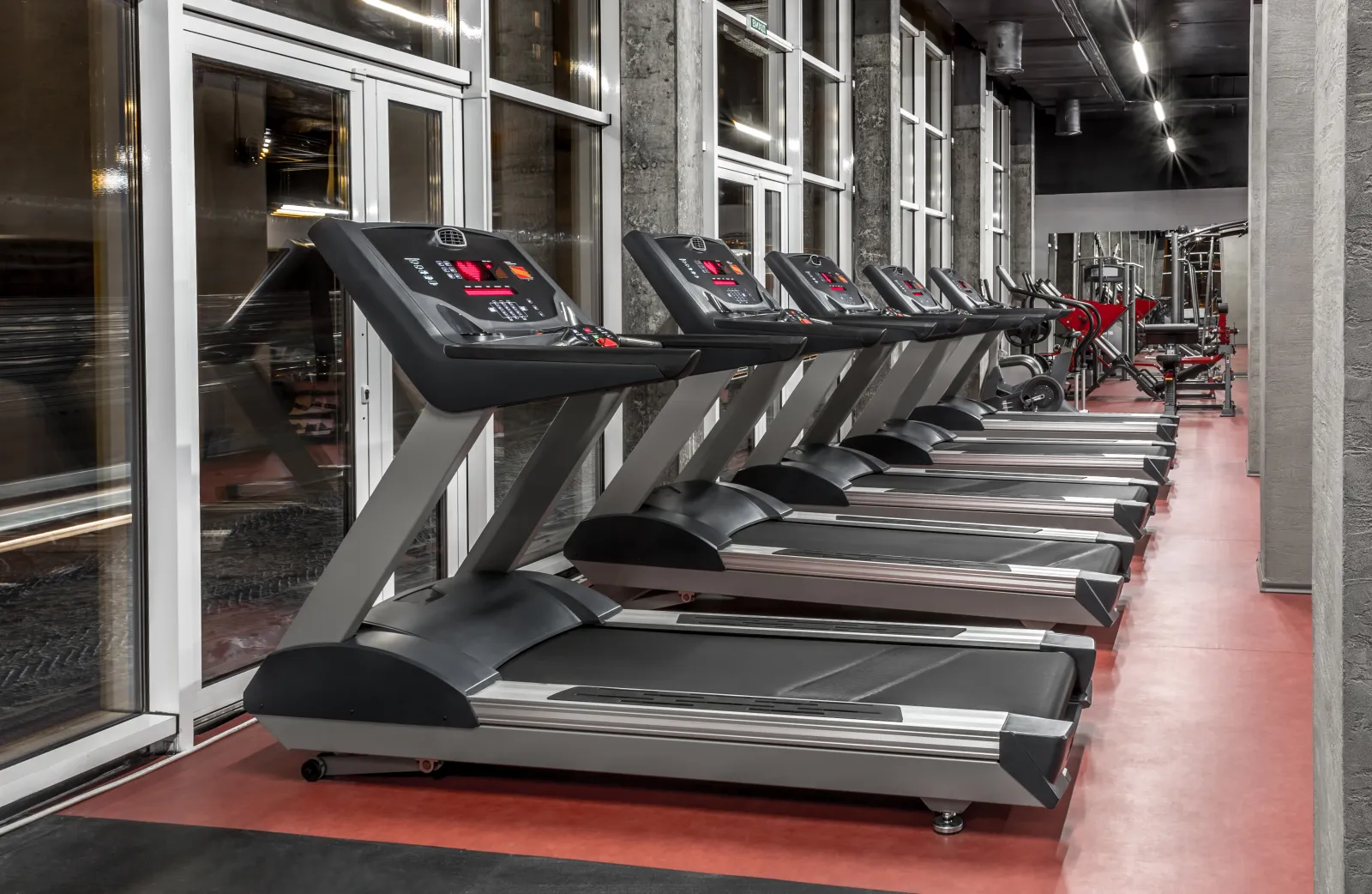
Treadmill belt and deck care on schedule
Set each treadmill's service from its manual: belt tension and tracking, deck and belt wear, cleaning under the motor hood, lubrication where the model calls for it. Schedule by date or by the hours or miles on the console, whichever comes first, and Dovient Lite opens the work order when it's due with the checklist attached.
Commercial treadmill maintenance schedule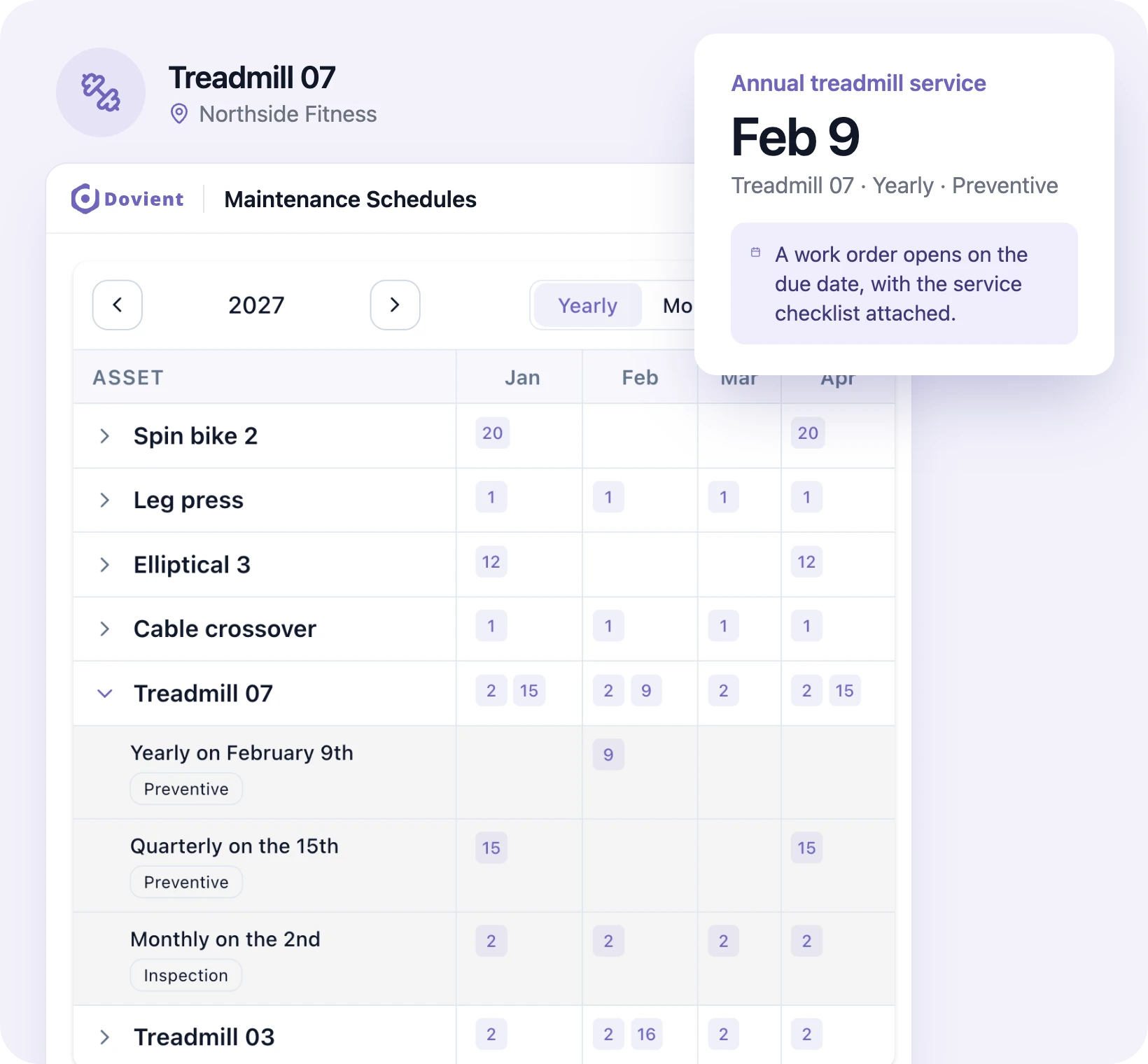
Cable, pulley and strength machine checks
A monthly checklist for each strength machine and cable station: cables for fraying, pulleys, weight stack pins, guide rods, seat and pad adjustments, upholstery tears and frame bolts. Staff mark each item pass, warning or fail on a phone and photograph a frayed cable before anyone else uses it.
Gym equipment maintenance and safety checklist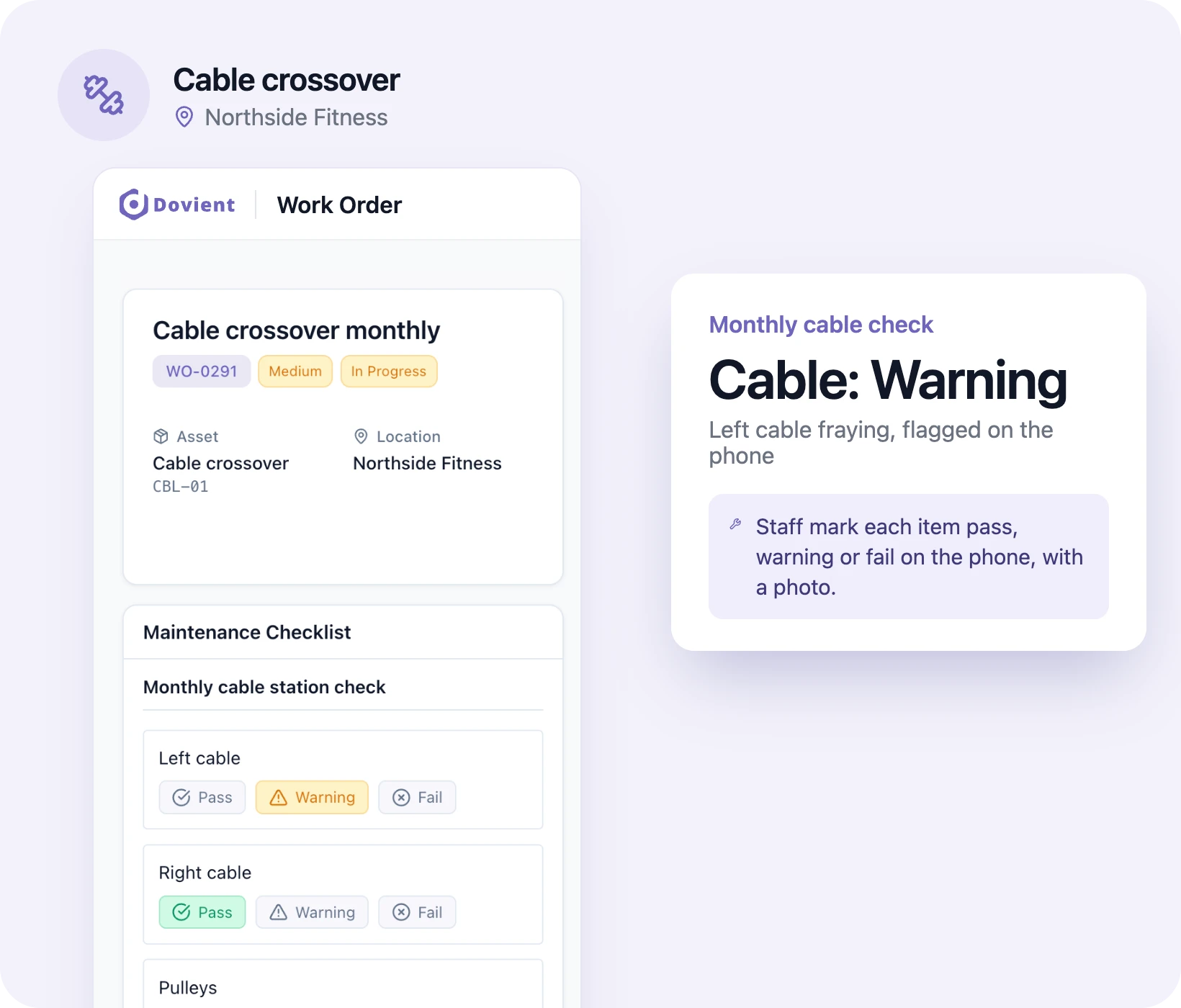
Staff report broken equipment for members
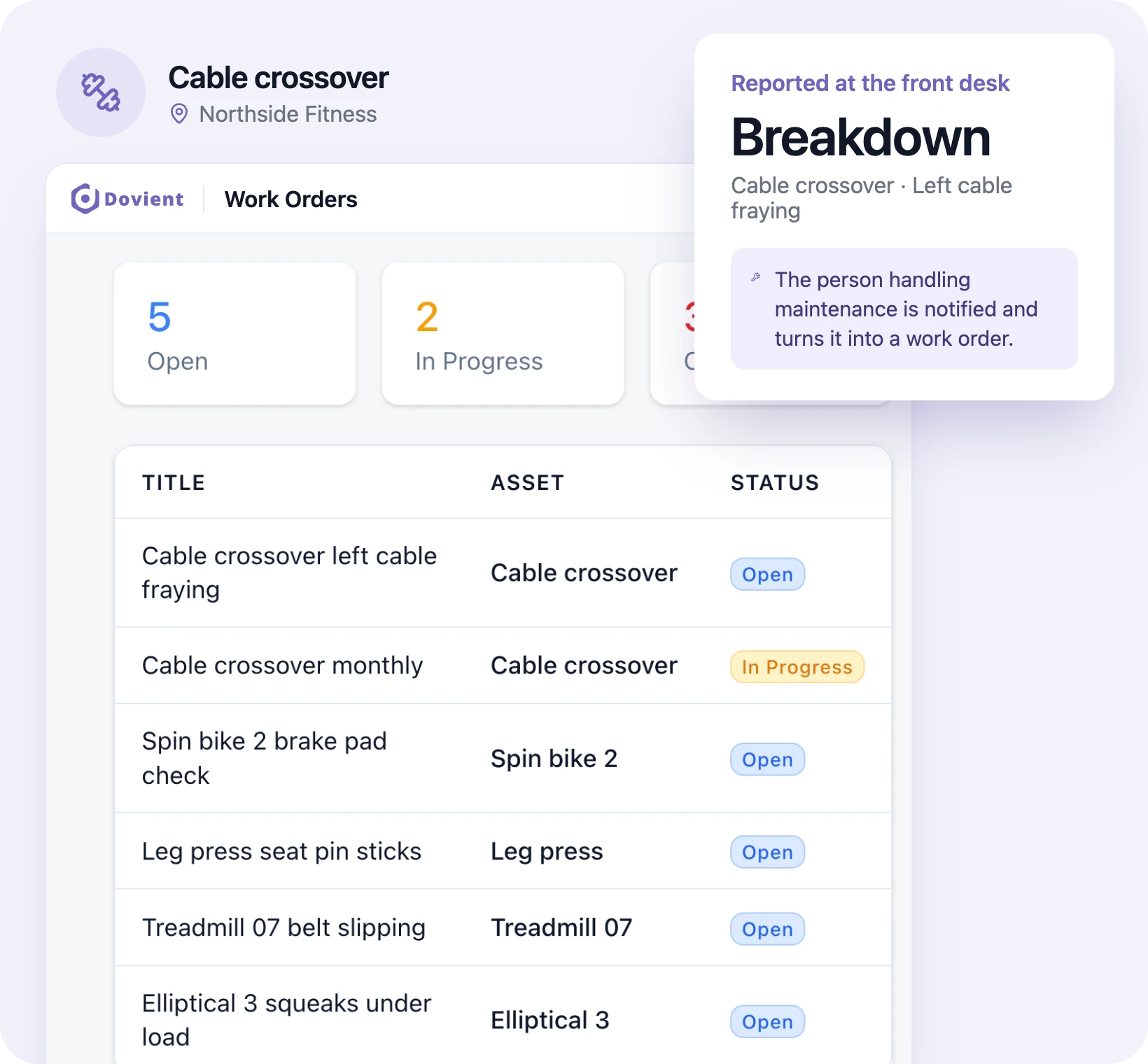
A member tells the front desk the left cable on the crossover is fraying. The staff member picks the machine in the app, describes the problem, adds a photo and marks it a breakdown if it's out of order. The person handling maintenance is notified, turns it into a work order, and the desk can see when the machine is back in use.
Belts, cables and grips in stock
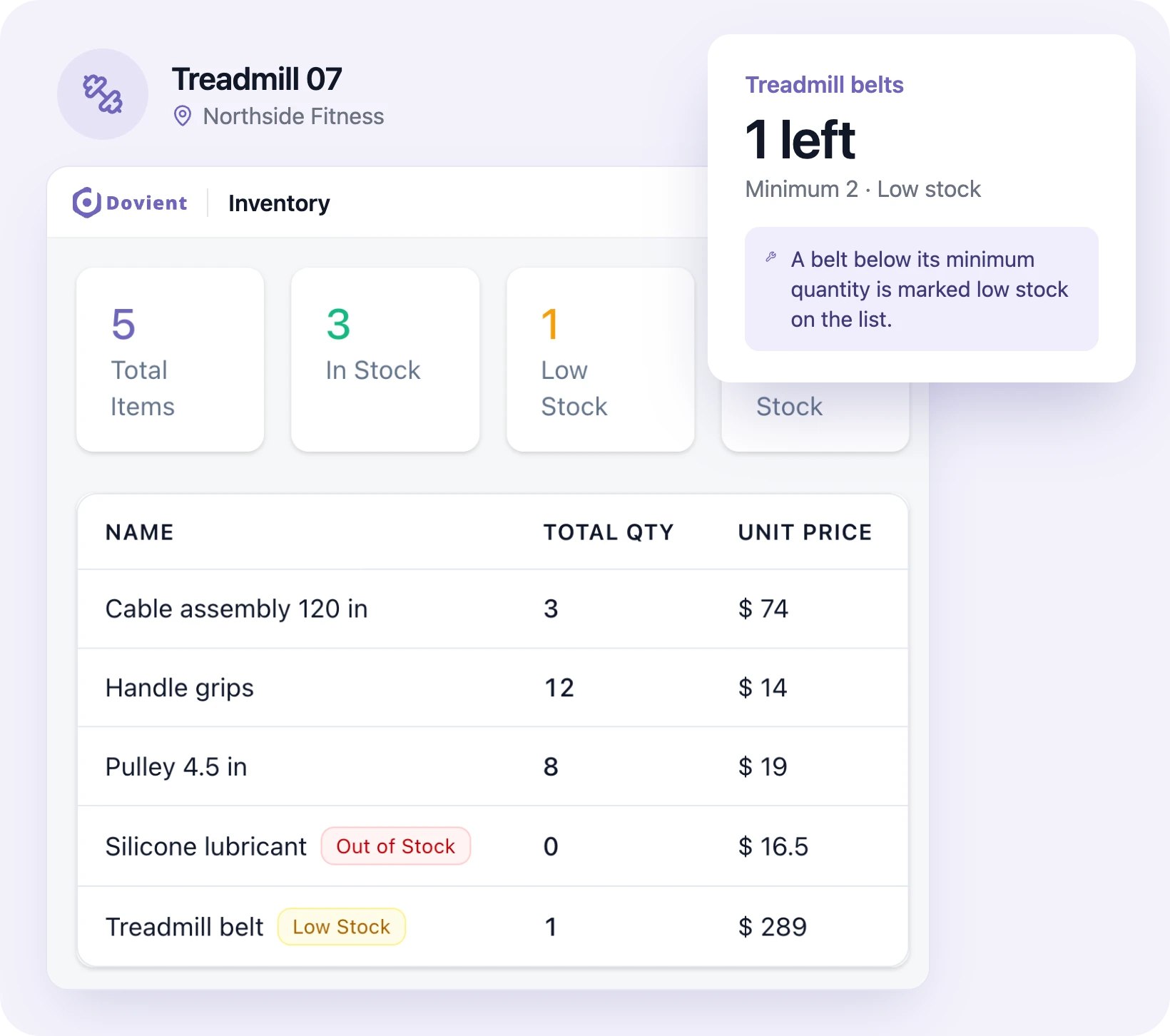
Keep treadmill belts, drive belts, cables, pulleys, grips, pedals and silicone lubricant in the parts list with a minimum quantity. Parts used on a repair come off stock and add to that machine's cost, and anything below its minimum shows as low stock.
Every machine repair in one list
Each repair is a work order with who reported it, who is on it, photos, notes and status, including the outside service tech's visits and charges. The manager sees which machines are out of order, and overdue work shows on the dashboard.
Opening, closing and AED checks on record
Opening and closing checklists run every day: AED status light and pads, locker rooms and showers, sauna and steam room, emergency exits, equipment wiped down. Each check is saved with who did it and when, and the month's checks export as a PDF for your insurer or a state inspector.
Which machines are out of order most
The dashboard counts breakdowns and hours of downtime, shows MTTR and MTBF, and lists the machines that fail most often. Put that next to each machine's repair cost and you know which treadmills to replace in next year's budget.
QR codes on your machines (optional)
Print a QR label for each machine and put it on the frame. A staff member scans it with the app and lands on that machine's record: checks due, open repairs and its history. Useful once your floor has more machines than anyone can pick from a list.
How setup works
- 1
Add your equipment
Import your machines from a spreadsheet (CSV or Excel) or add them one at a time.
- 2
Set checks and service intervals
Choose the opening, closing and monthly checks you need and each machine's service interval by date or console hours.
- 3
Invite your staff
They install the app and sign in. Front desk staff report problems; whoever handles maintenance sees the work assigned to them.
Set up Dovient Lite with us
Tell us how many machines are on your floor. We'll go through your daily checks and service intervals with you and set up your account.
Prefer to start on your own? Start with Dovient Lite
Gym checklists and guides
All templates
Pool checklists and logs

Questions
What is gym maintenance software?
Software that keeps every machine's service schedule, safety checks and repairs in one place. Dovient Lite does this for gyms and fitness centers: manufacturer service intervals on a schedule, daily and monthly checks on a phone, and a repair and cost history for each machine. It does not handle memberships, billing or door access.
Can members report broken equipment themselves?
No. Members don't sign in to Dovient Lite. When a member mentions a problem, a staff member files it from the phone with a photo, and it goes straight to whoever handles maintenance.
How often should commercial treadmills be serviced?
Follow the manufacturer's manual for each model. Most call for regular cleaning and belt checks, plus periodic inspection of the belt, deck and drive. In Dovient Lite you set those intervals by date or by the hours or miles on the console.
Are gyms required to have an AED?
It depends on the state. Several states require health clubs to have an AED and staff trained to use it, among them New York, California and Illinois. Check your state's law, and keep the AED check (status light, pads and battery dates) in your daily opening checklist.
Are there US government regulations or requirements for gym temperature?
No. OSHA has no specific temperature rule for gyms; its guidance for indoor workplaces suggests 68 to 76 degrees Fahrenheit. Your state or local health code may set rules for saunas, steam rooms and pools.
Does a machine show as out of order to members?
Not in the app; members don't use it. Staff mark the machine down in Dovient Lite and put an out-of-order sign on it. The record shows when it went down and when it was fixed.
Can I track what each machine costs in repairs?
Yes. Labor, parts and outside service charges on each work order add up on that machine's record, next to its breakdowns and downtime. You can export cost by asset when deciding what to replace.
Does it remind staff when service is due?
Dovient Lite opens the work order itself on the due date and assigns it to the people set on that schedule. There are no advance reminders; anything not done on time shows as overdue on the dashboard.
Is Dovient Lite gym management software?
No. It does not handle memberships, check-in, classes or billing; keep your gym or fitness management software for those. Dovient Lite covers the equipment and the building: scheduled service, repairs, opening checks and what each machine costs.
How much does Dovient Lite cost?
Plans and prices are on the Dovient Lite pricing page: dovient.com/lite/pricing.
Reviewed
Get broken machines back on the floor faster