
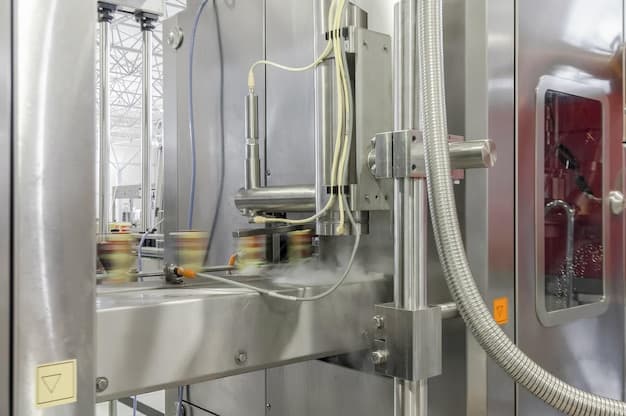
Hytrol EZLogic at a glance
The Dovient library currently covers 8 published troubleshooting guides for the Hytrol EZLogic, with 52 individual procedure steps distilled from OEM manuals and field experience. On average, a fix on this machine runs 7 steps and roughly 25 min on tools. Complexity is classified as moderate, typical repairs on this machine need a qualified technician, a planned stop, and between thirty minutes and an hour on tools.
Failure modes to watch for
Every guide in the Hytrol EZLogic library lists the candidate root causes its procedure rules out. These are the distinct failure modes we've documented so far, a useful starting point if you don't yet know which specific alarm or symptom you're chasing.
Tail pulley misaligned relative to the frame, pulling the belt toward the low side
Idler rollers out of square with the frame centerline
Off-center loading depositing product consistently on one side of the belt
Belt spliced with uneven tension across its width
Belt tension below minimum, allowing the drive pulley to slip under load torque
Worn or glazed lagging on the drive pulley reducing the coefficient of friction
Belt elongation over time causing effective tension loss
Drive pulley contaminated with oil or water dropping traction
Tools you'll need most
These tools are referenced most often across the Hytrol EZLogic troubleshooting guides. If you service this equipment regularly, keep them on the cart.
Sources we cite for this machine
Every procedure on Dovient is cross-checked against published sources. These are the references cited most often in the Hytrol EZLogic guides.
- cited 8×
Hytrol EZLogic Accumulation Conveyor Service Manual
Hytrol Conveyor Company
Every published guide for this machine
How to fix belt tracking issues on a Hytrol EZLogic conveyor
Belt tracking problems start at the tail pulley. Adjust the tail pulley's take-up bolts to center the belt, making small incremental adjustments one side at a time.
How to fix motor overheating on a Hytrol EZLogic conveyor
Motor overheating is usually a mechanical overload from seized rollers or excess belt tension. Walk the conveyor to find the drag source before suspecting the motor itself.
How to fix excessive vibration on a Hytrol EZLogic conveyor
Vibration on a belt conveyor is almost always an unbalanced or dirty roller or pulley. Walk the conveyor slowly to locate the vibration source, then clean or replace the offending component.
How to diagnose intermittent stops on a Hytrol EZLogic conveyor
Intermittent stops on EZLogic conveyors are most often a dirty or misaligned photoelectric zone sensor triggering a false jam signal. Clean the sensor lenses and verify alignment.
How to fix material spillage on a Hytrol EZLogic conveyor
Spillage at the loading zone means skirting is worn or the chute is offset. Check skirt-to-belt gap first: it should be under 3 mm. Off-tracking belt needs correction before new skirting will seal.
How to fix roller seizure from bearing failure on a Hytrol EZLogic conveyor
A seized roller burns the belt at one spot and adds drag. Replace it immediately. Inspect adjacent rollers for early-stage bearing roughness while the drive is locked out.
How to fix a slipping belt on a Hytrol EZLogic conveyor
Belt slip is usually insufficient tension or worn lagging on the drive pulley. Tension the belt first, then inspect the pulley lagging. Glazed or missing lagging cannot be fixed by tensioning alone.
How to find and fix unusual noise on a Hytrol EZLogic conveyor
Noise from an idler roller almost always means a seized or worn bearing. Walk the conveyor at low speed with the covers removed to identify the bad roller by sound and wobble.
Frequently asked questions
What are the most common Hytrol EZLogic problems?
The most frequently reported issues on the Hytrol EZLogic include how to fix belt tracking issues on a hytrol ezlogic conveyor, how to fix motor overheating on a hytrol ezlogic conveyor, how to fix excessive vibration on a hytrol ezlogic conveyor. Each has a step-by-step troubleshooting guide on this page.
How long does a typical Hytrol EZLogic repair take?
Repair time depends on the failure mode. Routine adjustments typically take 30-90 minutes; component replacements run 2-4 hours; major overhauls can take a full shift or more. The procedures linked above list estimated time per problem.
Can these procedures be done by an in-house technician?
Most procedures on this page are designed for a qualified in-house maintenance technician with the listed tools and parts. Procedures requiring OEM-only access (firmware updates, factory calibration) are flagged in the safety warnings.
Are these guides verified against OEM documentation?
Every procedure cites the source manuals, service bulletins, or published references it draws from. The Hytrol EZLogic guides cross-check against 1 source(s) cited above.
Images on this page sourced from Freepik. Credits: oksix, Albaregiya.