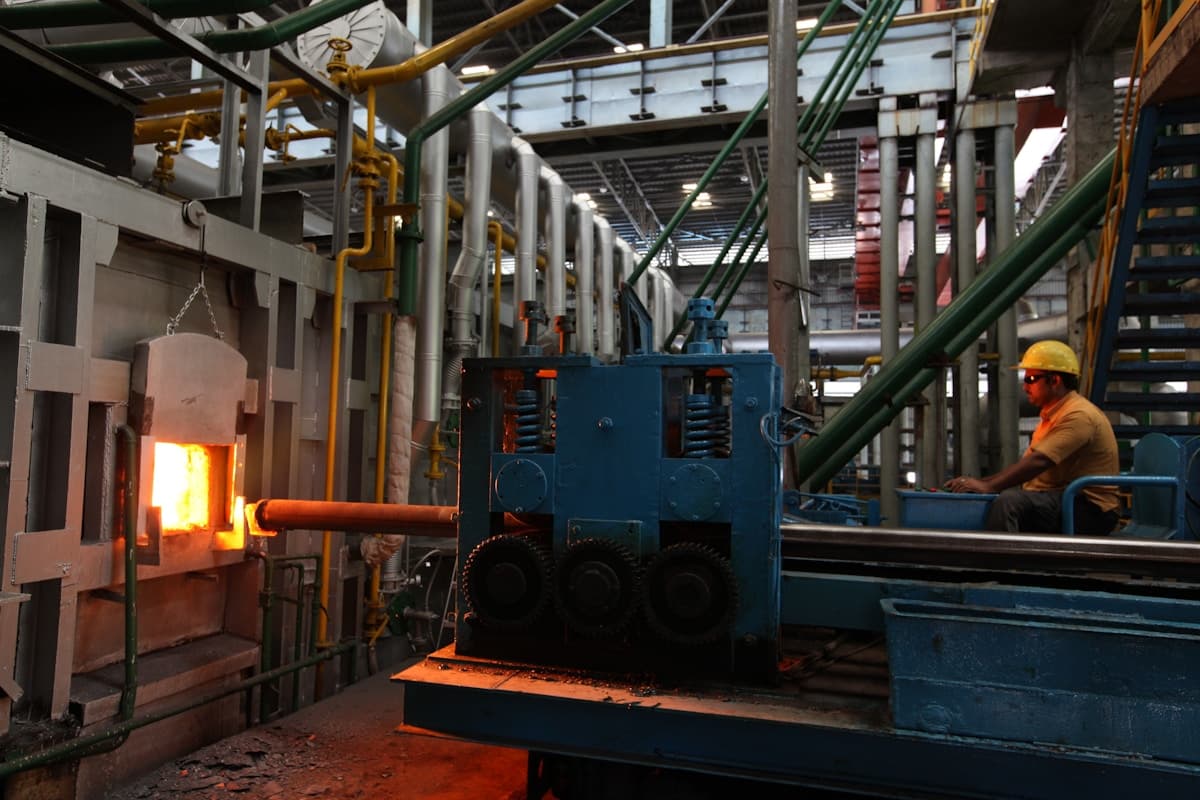
Variable frequency drives fail. They fail in cement plants in Rajasthan where ambient temperatures hit 48 degrees Celsius. They fail in water treatment facilities in Ohio where humidity corrodes terminal blocks. They fail in textile mills, steel rolling plants, HVAC systems, and packaging lines. When they fail, production stops.
The difference between a two-hour outage and a two-day outage often comes down to the technician's troubleshooting method. A systematic approach, working outward from the fault code through the electrical system, will resolve most VFD faults faster than swapping parts or resetting blindly.
The Five Fault Categories You Will See Most Often
VFD faults fall into a small number of categories regardless of manufacturer. Once you understand what each category means electrically, you can diagnose faults on any drive: ABB ACS580, Siemens SINAMICS G120, Allen-Bradley PowerFlex 525, or Yaskawa GA500.
1. Overcurrent (OC)
An overcurrent fault triggers when output current exceeds the drive's rated capacity. On an ABB ACS580, this appears as fault code 2310. On a Siemens SINAMICS G120, it is F30001. On an Allen-Bradley PowerFlex, look for fault code F12 (HW Overcurrent) or F64 (Drive Overload, which trips at 150% for 60 seconds or 200% for 3 seconds).
Overcurrent conditions account for roughly 30% of all VFD trips. The fault can originate from the motor side, the cable run, or the drive itself.
Common root causes:
- Mechanical overload: jammed conveyor, seized pump bearing, material buildup on fan blades
- Acceleration time too aggressive for load inertia. A 5-second accel time on a high-inertia fan will pull excessive current during ramp-up.
- Motor winding failure (shorted turn reduces impedance, draws higher current on that phase)
- Damaged motor cable insulation causing phase-to-phase leakage
- Incorrect motor parameters in the drive (wrong rated current, wrong motor type)
2. Overvoltage (OV)
Overvoltage faults indicate the DC bus voltage has exceeded the drive's upper limit. On a 400V class drive, the DC bus normally sits around 565 VDC (400 x 1.414). On a 480V system, expect approximately 679 VDC. The overvoltage trip threshold is typically 115% to 120% of this value.
On an ABB ACS580, this is fault 3210 (DC link overvoltage). On a Siemens G120, it is F30002. On a PowerFlex, look for F05 (DC Bus Overvoltage).
Common root causes:
- Deceleration time too short. When you decelerate a high-inertia load, the motor acts as a generator and pumps energy back into the DC bus. If the drive cannot dissipate this energy fast enough, the bus voltage spikes.
- Missing or failed braking resistor on applications that require dynamic braking
- Incoming supply voltage too high. In India, supply voltage can fluctuate significantly, particularly in semi-urban industrial areas where 415V systems may see 440V or higher during off-peak hours.
- Power factor correction capacitor banks switching upstream of the drive, causing transient voltage spikes
- Regenerative loads such as cranes, hoists, or winders feeding energy back during lowering or unwinding
3. Ground Fault (GF / Earth Fault)
A ground fault trip means the drive has detected current leaking to earth on its output. This is fault 2330 (Earth leakage) on an ABB ACS580. On a Siemens G120, it may appear under F30001 with a specific sub-code. On a PowerFlex, it is F07 (Motor Ground Fault).
Common root causes:
- Degraded motor winding insulation, especially on older motors or motors in high-humidity environments
- Damaged cable insulation in motor leads, common with long outdoor cable runs or chemical exposure
- Moisture ingress into junction boxes or cable terminations. Flooded conduit runs are a frequent culprit: most cable insulation is not rated for submersion.
- Conductive dust (carbon, metal particles, cement dust) bridging conductors to the motor frame
4. Overtemperature (OT)
Overtemperature faults protect the drive's power semiconductors (IGBTs) and other internal components from thermal damage. On an ABB ACS580, this is fault 4210 (IGBT overtemperature). On a Siemens G120, it is F30004. On a PowerFlex, it is F37 (Heatsink OvrTmp).
Common root causes:
- Blocked or dirty cooling fans and heatsink fins. The single most common thermal fault cause, especially in cement plants, grain handling, and steel mills.
- Failed cooling fan (typical service life: 3 to 5 years under continuous operation)
- Ambient temperature above the drive's 40 to 50 degrees Celsius rating. Enclosures in direct sunlight or near furnaces regularly exceed this.
- Carrier frequency set above default. Running an ACS580 at 12 kHz instead of 4 kHz generates significantly more IGBT heat.
- Continuous overload at or near rated current without adequate cooling
5. Input Phase Loss / Supply Fault
This fault indicates the drive is not receiving balanced three-phase power. On an ABB ACS580, it is fault 3130. On a Siemens G120, it is F30021. On a PowerFlex, it is F03 (Power Loss).
Common root causes:
- Blown input fuse on one phase
- Loose connection on one phase of the incoming supply, often at the main contactor or disconnect switch
- Supply transformer issues, including a failed winding or unbalanced loading across phases
- Faulty input rectifier section within the drive itself
Quick Reference: Fault Codes by Manufacturer
| Fault Type | ABB ACS580 | Siemens G120 | Allen-Bradley PowerFlex |
|---|---|---|---|
| Overcurrent | 2310 | F30001 | F12 / F64 |
| DC Bus Overvoltage | 3210 | F30002 | F05 |
| DC Bus Undervoltage | 3220 | F30003 | F06 |
| Ground / Earth Fault | 2330 | F30021 | F07 |
| IGBT / Heatsink Overtemp | 4210 | F30004 | F37 |
| Short Circuit | 2340 | F30001 (sub) | F70 |
| Input Phase Loss | 3130 | F30021 | F03 |
| Cooling Fan Failure | 5080 | F30024 | F81 |
The Systematic Diagnostic Method
When a VFD trips, resist the urge to hit the reset button immediately. A fault code is information. Clearing it without investigation means losing that information and potentially masking a developing failure.
Follow this sequence every time.
Step 1: Record the Fault
Before doing anything else, write down or photograph the following:
- The fault code and any sub-codes displayed
- The output frequency at the time of the fault
- The output current at the time of the fault
- The DC bus voltage at the time of the fault
- What the process was doing (starting, running at full speed, decelerating, under varying load)
Most modern drives store fault history with timestamps and operating parameters. On an ABB ACS580, press the Diagnostics button in Primary Settings to view active faults and warnings in plain text. The ACS580 also displays a QR code during faults linking directly to ABB's resolution guides. On a Siemens G120, access the fault buffer through parameter r0945 (Fault code) and r0949 (Fault value). On a PowerFlex, scroll through the fault queue in the display.
Context matters. An overcurrent fault at 2 Hz during startup points to a completely different root cause than an overcurrent fault at 50 Hz under steady-state load.
Step 2: Isolate the Source
A VFD fault can originate from four places: the incoming power supply, the drive itself, the output cabling, or the motor and driven load. Your job is to determine which one.
Start by asking:
- Did anything change? New motor, new cable, parameter changes, process changes, maintenance activity on adjacent equipment?
- Is this fault repeatable, or was it a one-time event?
- Are other drives on the same supply also faulting? If yes, the problem is likely on the supply side.
Step 3: Check the Supply Side
With the drive powered off and locked out, measure the following at the drive's input terminals:
- Phase-to-phase voltage on all three pairs (L1-L2, L2-L3, L1-L3). All three readings should be within 2% of each other. A voltage imbalance greater than 3% indicates a supply problem.
- Phase-to-ground voltage on all three phases. Significant differences point to a grounding issue or a supply transformer problem.
- Connection torque on all input terminal screws. A loose connection creates high resistance, localized heating, and intermittent supply faults. Use a calibrated torque wrench, not just "hand tight."
Step 4: Check the Drive
With the drive de-energized and capacitors discharged (wait at least 5 minutes after power removal on larger drives), perform the following checks:
Visual inspection:
- Look for signs of overheating: discolored components, melted plastic, burnt smell
- Check electrolytic capacitors for bulging tops, leaking electrolyte, or physical deformation
- Inspect the cooling fan. Spin it by hand. It should turn freely. Replace if stiff or noisy.
- Look for dust buildup on circuit boards and heatsink fins. Metallic dust is especially dangerous because it creates conductive paths between traces on PCBs.
DC bus capacitor check:
After confirming capacitors are fully discharged, measure DC bus voltage across the + and - terminals (should read 0 VDC). Then power up the drive without a run command and measure again. On a 400V supply, expect approximately 565 VDC. On a 480V supply, expect approximately 679 VDC. The reading should be stable.
Next, switch your meter to AC voltage across the same DC bus terminals. This measures AC ripple. Healthy bus capacitors show less than 5 VAC of ripple. Readings above 5 VAC suggest capacitor degradation, a common failure mode on drives older than 7 years.
IGBT check (power off, capacitors discharged):
Using a multimeter in diode-check mode, measure across each IGBT (output phase to DC bus positive, and output phase to DC bus negative). You should see a consistent forward voltage drop (typically 0.3V to 0.7V) in one direction and OL (open line) in the other. A shorted IGBT will show near-zero in both directions. An open IGBT will show OL in both directions.
Step 5: Check the Output Side
Disconnect the motor leads at the drive's output terminals. This is critical. You are separating the cable and motor from the drive so you can test each independently.
Cable insulation test:
Using a 500V or 1000V megohmmeter, measure insulation resistance between each phase conductor and earth, and between each pair of phase conductors. Do this at the drive end of the cable with the motor disconnected.
Warning: Never apply a megohmmeter to the output terminals of the VFD itself. The high voltage from a megger will destroy the IGBT semiconductors in the drive's inverter section. Always disconnect the motor cables from the drive before megging.
Per IEEE 43-2000 and EASA standards, motors under 1000V require minimum 5 megohms at 500 VDC after one minute. Any reading below 1 megohm indicates serious insulation degradation.
Start megging at the drive end of the cable, not at the motor junction box. If the cable tests clean at the drive end but the motor tests bad at its junction box, the motor is the problem. If the cable tests bad at the drive end, the cable insulation has failed.
Motor insulation test:
At the motor junction box, disconnect the T-leads and meg each winding to ground. Also meg between windings. Record the values and compare to previous readings if available. Trending insulation resistance over time is far more valuable than a single snapshot reading.
If readings are borderline and the motor has been idle in a humid environment, consider a controlled dry-out before condemning the motor. Moisture-affected motors routinely jump from under 1 megohm to over 100 megohms after a 24-hour oven dry at 80 to 90 degrees Celsius.
Step 6: Reconnect and Test
If all checks pass, reconnect the motor leads, clear the fault, and perform a controlled startup. Monitor output current on all three phases using clamp-on CTs. Current should be balanced within 5%. An imbalance over 10% with balanced supply voltage points to a motor winding issue. Run under load for at least 15 minutes, as intermittent faults often appear only at operating temperature.
Specific Diagnostic Procedures for Common Faults
Overcurrent at Startup (0 to 5 Hz)
An overcurrent fault during the first seconds of acceleration is almost always motor-side or cable-side. The motor has not built back-EMF yet, so it draws high current into the low impedance of the stator winding.
- Disconnect the motor from the driven load and run uncoupled. If it starts cleanly, the problem is mechanical.
- If the fault persists uncoupled, disconnect motor cable at the drive and meg-test cable and motor separately.
- Verify motor nameplate data matches drive parameters (rated current, motor type).
- On a Siemens G120 with vector control, confirm the motor identification routine (p1910) has been run. Bad motor model parameters cause wild current swings.
Overvoltage During Deceleration
This is one of the most common fault patterns, especially on applications with high-inertia loads like large fans, centrifuges, and flywheels.
Solutions, in order of simplicity:
- Increase the deceleration time. If the process allows it, doubling or tripling the decel time is the simplest fix. On many HVAC and pump applications, a 60-second or even 120-second decel time is perfectly acceptable.
- Enable DC bus voltage regulation (often called "overvoltage stall" or "bus regulation"). This feature automatically extends the deceleration ramp when the bus voltage approaches the trip threshold. On an ABB ACS580, this is controlled by parameter 2005 (Overvoltage controller). On a Siemens G120, enable Vdc_max controller via parameter p1240.
- Install a braking resistor. If the application requires fast, precise deceleration stops, you need a dynamic braking resistor to dissipate the regenerative energy as heat. Size the resistor correctly. An undersized braking resistor will overheat or fail to prevent the overvoltage trip. The resistor must be rated for the peak braking power and the duty cycle of the application.
Intermittent Ground Faults Under Load
Ground faults that appear only at operating temperature or under vibration are the hardest to diagnose. The insulation defect may not appear during a static megger test on a cold motor.
- Meg-test cold, then run to full operating temperature and meg-test again immediately after shutdown. A significant drop confirms a temperature-sensitive insulation defect.
- Inspect cable runs for physical damage at entry points, conduit bends, and wall penetrations.
- Check the junction box for moisture, conductive dust, or corroded terminals. In coastal areas (India's western coast, US Gulf Coast), salt-laden air accelerates corrosion rapidly.
- Consider a surge comparison test (Baker test). Turn-to-turn shorts invisible to a megger show up as waveform differences between phases.
Repeated Overtemperature Faults
- Measure ambient temperature at the drive's air intake. Above 40 degrees Celsius? Add panel cooling or relocate the drive.
- Clean heatsink fins and internal fans with dry compressed air. Never use water or solvents on energized equipment.
- Check the carrier frequency. Technicians often raise it to reduce motor noise, but an ACS580 at 12 kHz generates far more heat than at 4 kHz. Drop it to default and retest.
- Verify panel ventilation. Adding drives to a panel without recalculating thermal load is a common cause.
- Thermal-scan the drive under load. Hot spots above 85 degrees Celsius on terminals indicate high resistance. Hot heatsink surfaces indicate airflow problems.
Common Mistakes That Cost Time and Money
- Resetting without investigating. A drive faults, the operator resets it, and it runs for a few hours before faulting again. Each reset clears fault data that could have identified the root cause. Always investigate the first occurrence.
- Megging through the drive. Applying a megohmmeter to VFD output terminals without disconnecting motor cables will destroy the IGBTs. Always disconnect motor leads before insulation resistance testing.
- Swapping drives without checking the motor. A technician replaces a faulted drive. The new drive trips immediately. The root cause was a motor winding fault that was never tested. Always check the motor and cable first.
- Ignoring cable length effects. Runs over 50 meters at 480V cause reflected voltage spikes at motor terminals that can exceed twice the DC bus voltage. Install an output reactor (dV/dt filter) or sinusoidal filter on long runs. This is not optional over 100 meters at 480V.
- Incorrect grounding. A high-impedance ground connection produces nuisance ground fault trips and EMI. Ground conductors should be at least the same gauge as phase conductors, connected directly to the drive's ground terminal.
- PFC capacitors on the output side. Never install power factor correction capacitors between a VFD and its motor. They resonate with the PWM switching frequency and will destroy the output stage. PFC capacitors go upstream only.
Preventive Maintenance: Reducing Unplanned Faults
A well-maintained VFD runs reliably for 10 to 15 years. A neglected one fails in 3 to 5. The requirements are straightforward, but they must be performed consistently.
Monthly
- Visual inspection: warning indicators, unusual sounds, signs of overheating
- Record operating parameters (output current, DC bus voltage, heatsink temperature, speed) and trend over time
- Check and clean enclosure filters
Quarterly
- Thermal scan all terminal connections and heatsink under load. Document and compare to prior readings.
- Retorque all power connections to manufacturer specs. Vibration and thermal cycling loosen connections.
- Inspect cooling fans for bearing noise or reduced airflow.
Annually
- Clean the drive interior with dry compressed air (maximum 30 psi / 2 bar). Remove dust from heatsink fins, circuit boards, and fan assemblies. Drive must be de-energized with capacitors discharged.
- Measure DC bus capacitor health: DC bus voltage and AC ripple with drive energized, no motor running. Compare to baseline.
- Meg-test all motor cables (disconnected from the drive) and motor windings. Record and trend values.
- Verify drive parameters match the commissioning record. Parameters get altered accidentally during troubleshooting.
- Review the fault history log for patterns: repeating faults at specific times, loads, or temperatures.
Component Replacement Schedule
| Component | Typical Service Life | Failure Indicator |
|---|---|---|
| Cooling fans | 3 to 5 years | Bearing noise, reduced airflow, intermittent overtemperature faults |
| DC bus electrolytic capacitors | 5 to 7 years | Bulging tops, electrolyte leakage, AC ripple above 5 VAC on DC bus |
| Contactors and relays | Varies by switching cycles | Pitting on contacts, failure to pull in or release |
| Enclosure door gaskets | 3 to 5 years | Hardened, cracked, or compressed material allowing dust or moisture entry |
| Enclosure air filters | 3 to 12 months (environment dependent) | Visible dust loading, reduced airflow, elevated enclosure temperature |
Essential Diagnostic Tools
Every VFD technician needs these instruments immediately available: a true RMS digital multimeter (CAT III minimum, since averaging meters give inaccurate readings on VFD waveforms), a 500V or 1000V megohmmeter, a true RMS clamp-on current meter, an infrared thermometer or thermal camera, and a calibrated torque wrench set. Manufacturer-specific software (ABB Drive Composer, Siemens STARTER, Rockwell Connected Components Workbench) provides access to fault logs and diagnostic data not available through the keypad.
Final Thought
VFD troubleshooting is not about memorizing every fault code from every manufacturer. It is about understanding the electrical fundamentals behind each fault category and applying a consistent, methodical diagnostic process. Record the fault, isolate the source, test systematically from supply to load, and fix the root cause rather than the symptom. Do this consistently, and you will resolve the majority of VFD faults correctly on the first attempt.